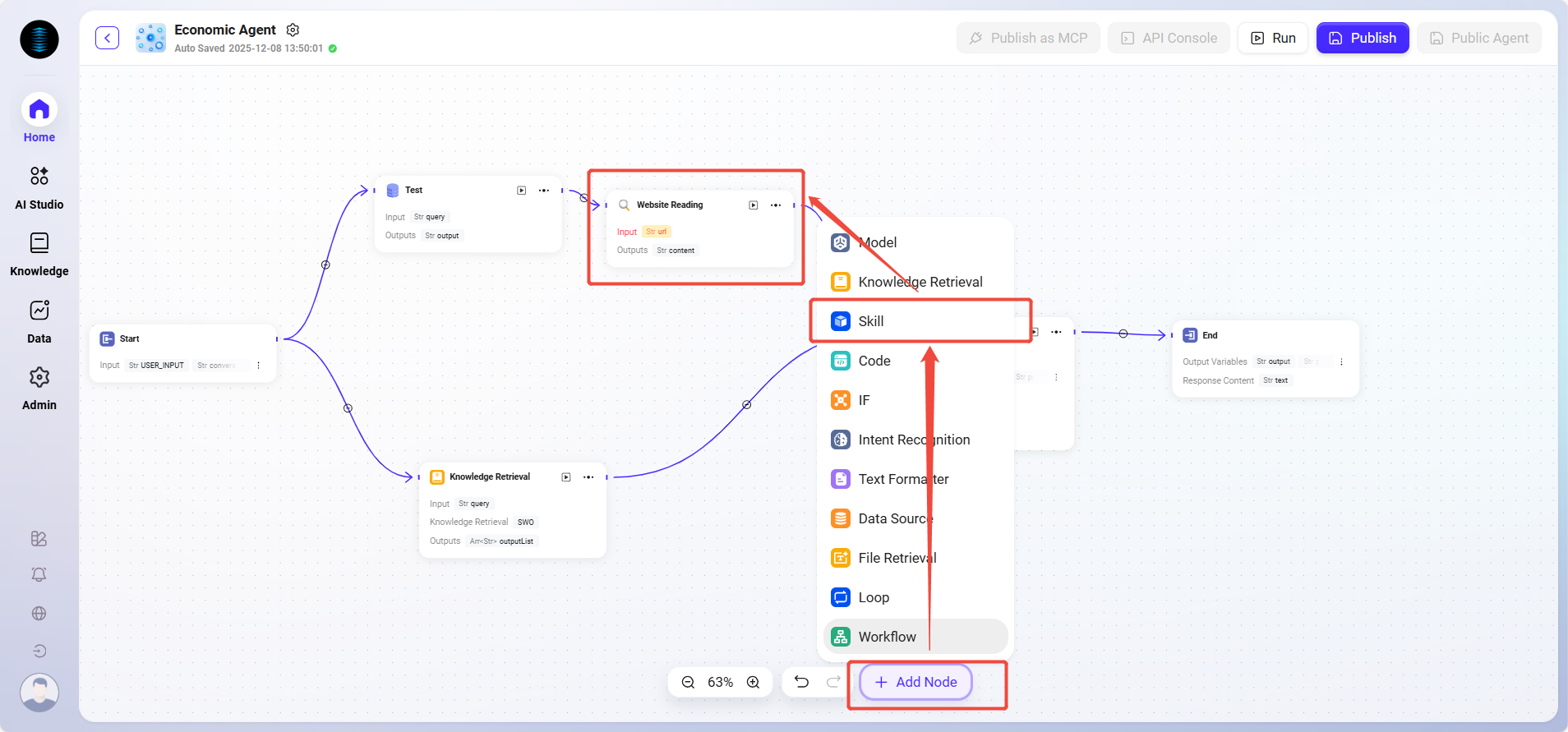
Pre-built Skills
Pre-built Skills are function modules pre-developed and integrated by the system, designed to provide users with fast and convenient automation services. These skills can be used directly in the assistant configuration without requiring additional development or configuration by the user.
Advantages of Pre-built Skills
-
Google Search: Provides real-time, extensive information from the internet.
-
Text-to-Image: This skill uses the DALL-E interface to generate images. Users can input descriptive text, and the system will generate corresponding images based on these descriptions. This skill is suitable for scenarios requiring visual content generation, such as design, artistic creation, and educational purposes.
-
Webpage Reading: With this skill, users can specify a URL, and the system will automatically read the content of that webpage. This feature is particularly useful for users who need to extract information from web pages, such as obtaining data from news sites, blogs, or any public web page.
Advantages of Built-in Skills
-
Convenience: Users can use these skills directly without additional development or configuration.
-
Diversity: Covers a variety of functions including news queries, webpage content extraction, image generation, and online search to meet different needs.
-
Efficiency: Through integrated automation services, users can complete tasks and obtain information more efficiently.
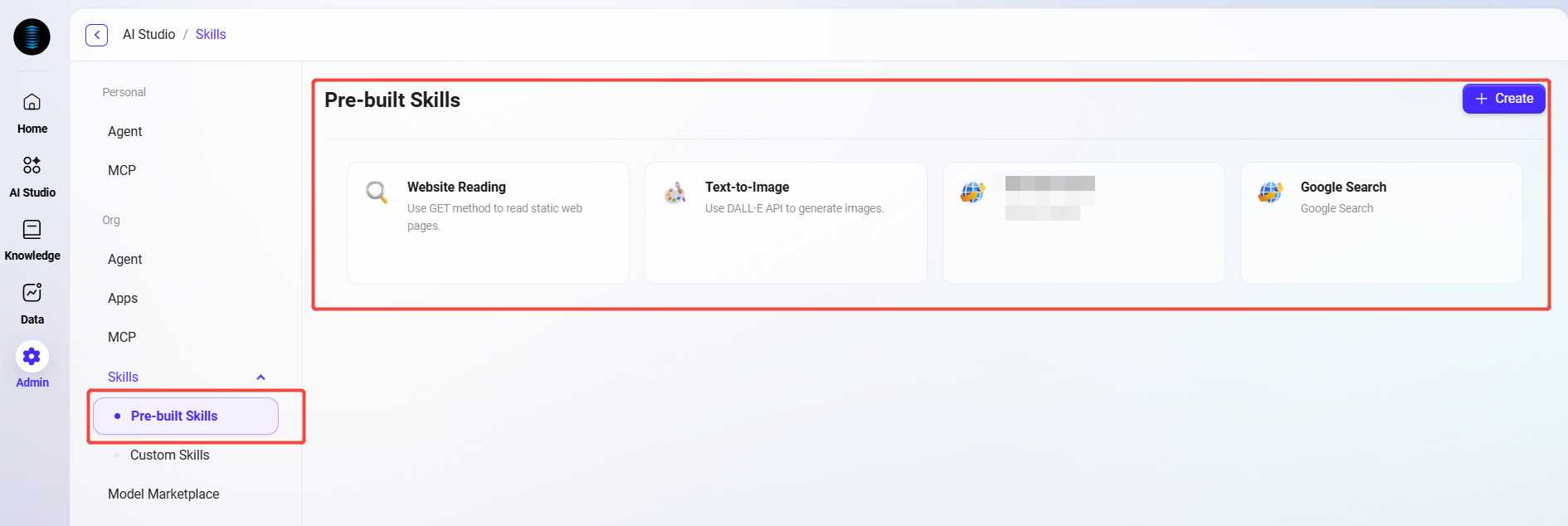
Custom Skills
Custom skills refer to skills developed or configured by users according to their specific needs and business scenarios. These skills can extend the assistant's functionality to better fit the user's personalized requirements.
Advantages of Custom Skills
-
Flexibility: Users can customize skills based on their own needs to enhance the assistant's capabilities.
-
Adaptability: Two creation methods, Python and API, meet different user needs, handling everything from simple to complex.
-
Extensibility: Custom skills can be extended through programming to add more functions, making the system better aligned with business processes and scenario requirements.
How to Use Skills
Configuring Skills in Basic Agent
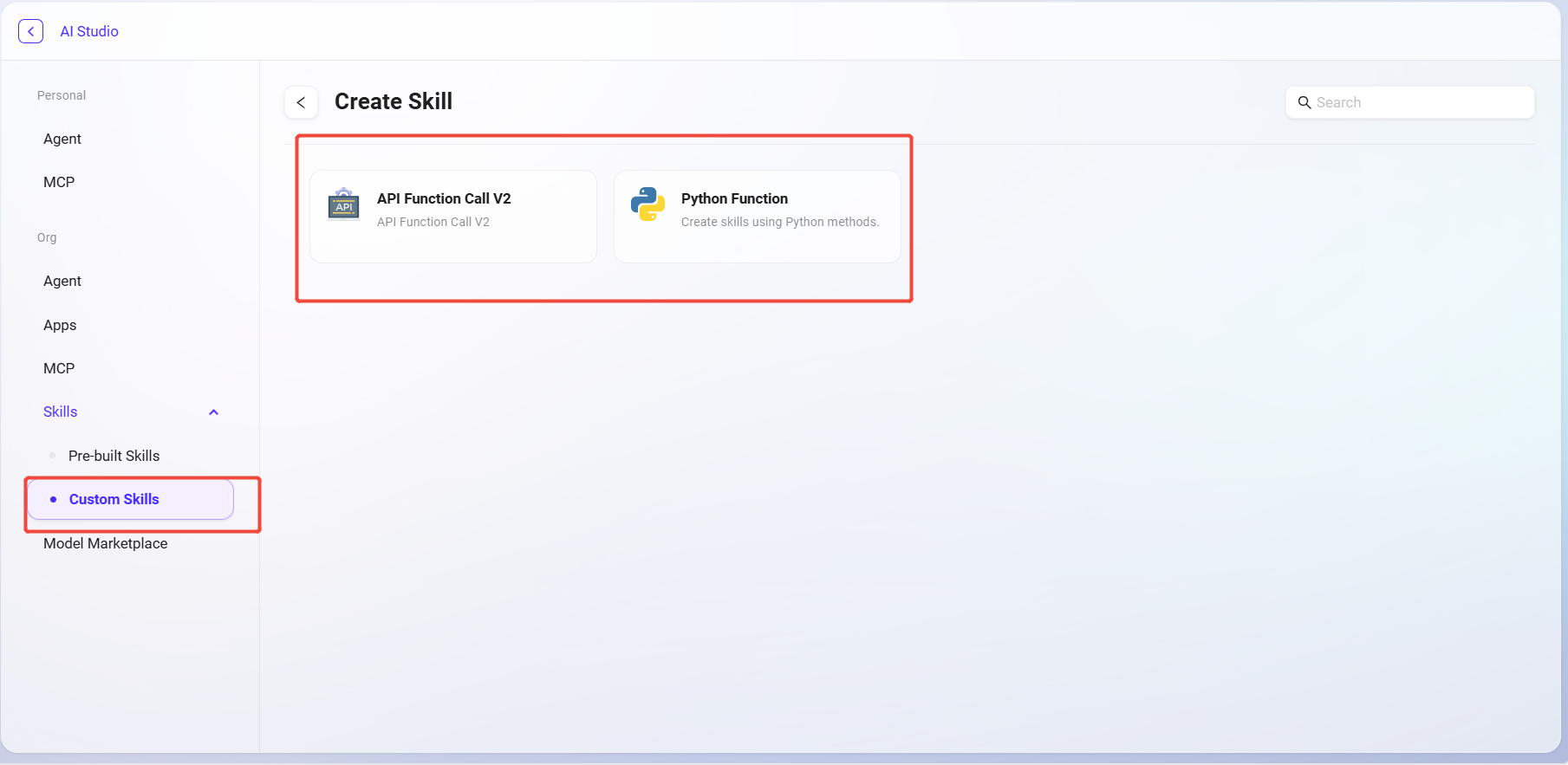
The Basic Agent supports directly adding skills, enabling the Agent to automatically recognize and invoke corresponding skills during Q&A. The configuration steps are as follows:
-
Go to the target Agent's configuration page;
-
Find the "Skills" module;
-
Click the "+" button on the right side of the skills area;
-
Select the skills to add from the pop-up skill list, multiple selections allowed;
-
Click Public and save the Agent configuration.
After completion, the Agent can automatically trigger skill invocation at runtime based on the user's intent or instructions, achieving a closed loop from "recognizing needs" to "executing operations."
Using Skill Nodes in Advanced Orchestration Agent
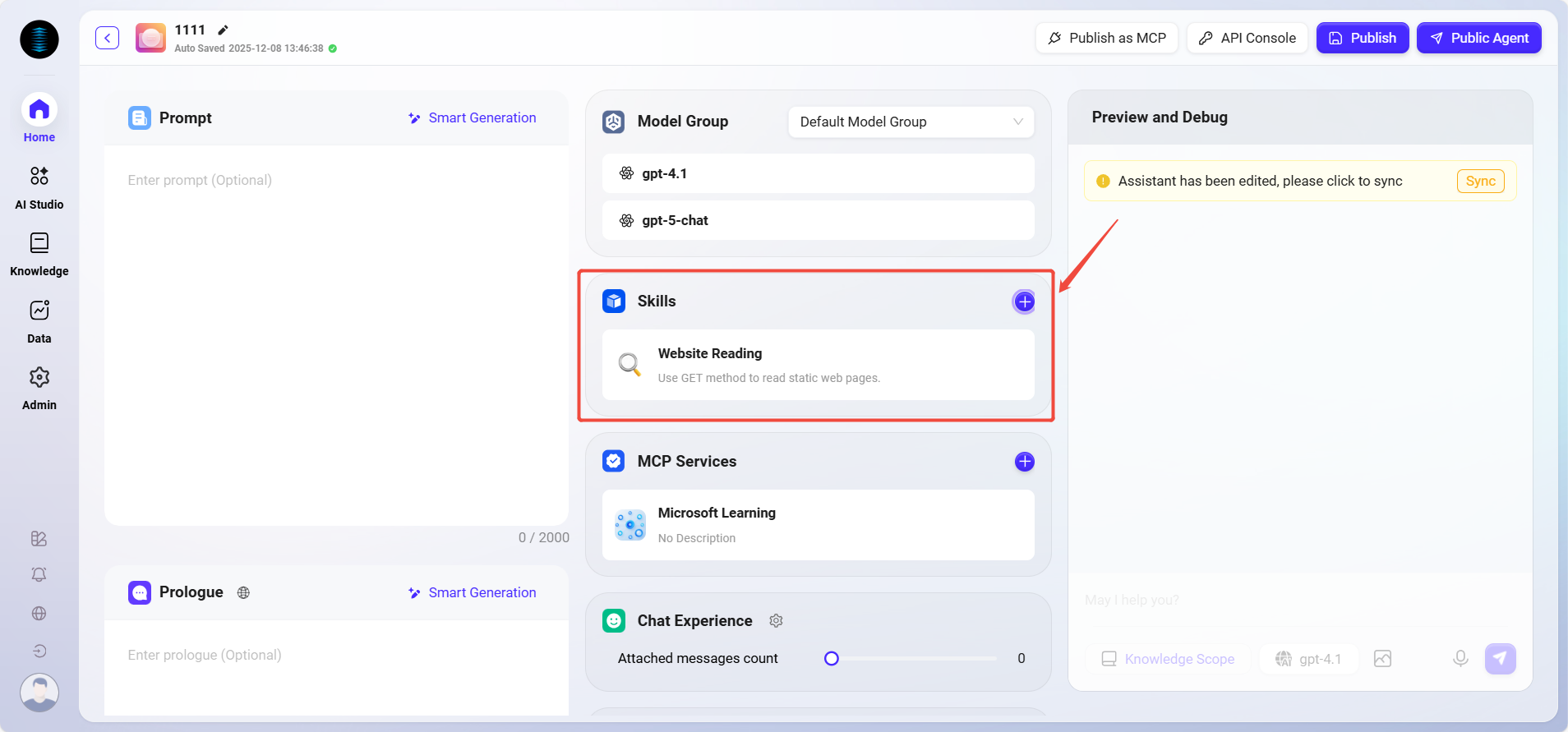
For complex scenarios or Agents requiring multi-skill collaboration, advanced orchestration can be used. The steps are as follows:
-
Open the Advanced Orchestration Agent;
-
Click "Add Node" at the bottom of the page;
-
Select the node type as "Skill Node";
-
Choose the skill to use from the pop-up list;
-
Place the skill node at the appropriate position in the workflow, such as after a conditional node or between execution logic nodes;
-
Save and publish the Agent.
After publishing, the Agent will invoke the corresponding skills according to the orchestration logic during execution, achieving controllable, reusable, and extensible automated operations.