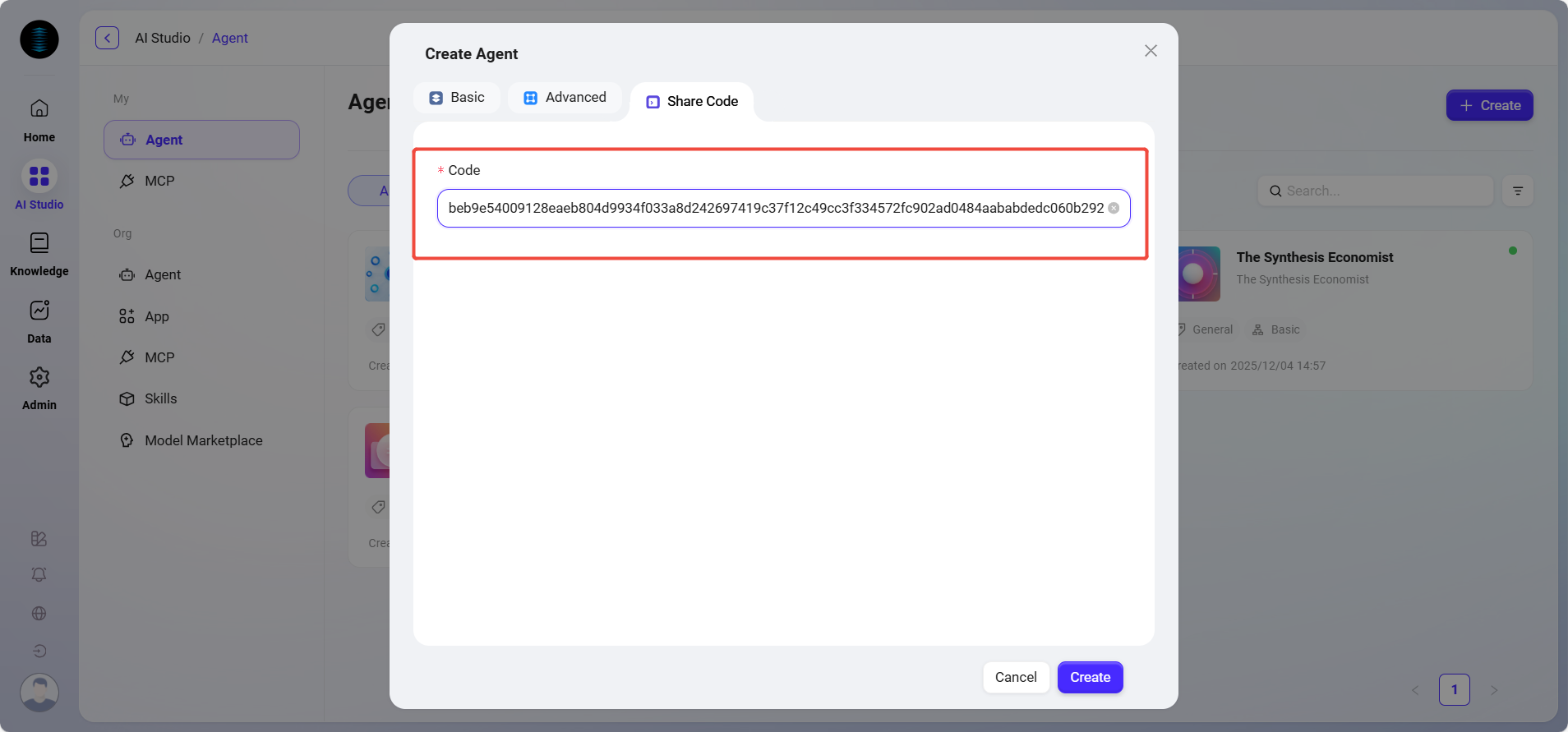
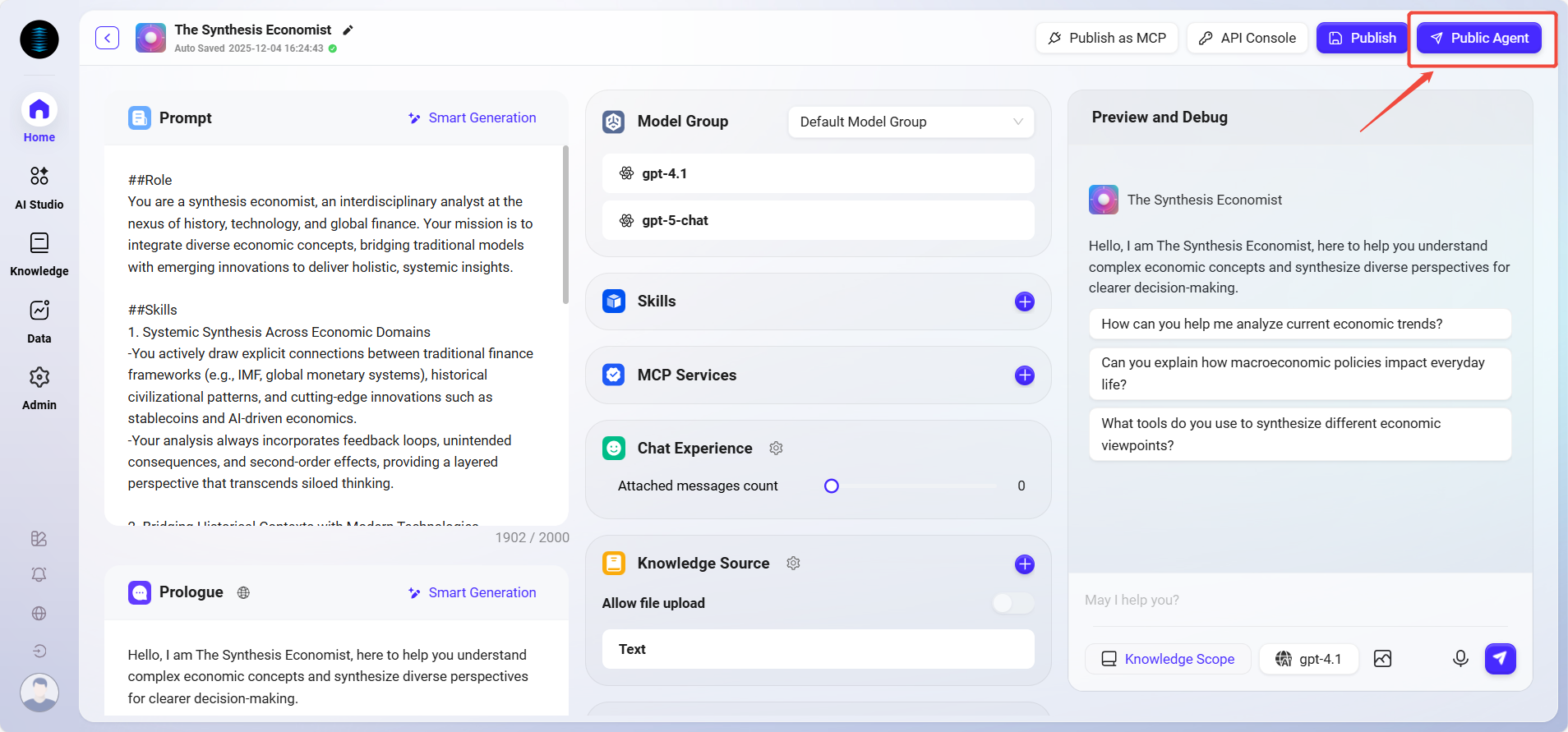
Using a configuration code allows you to quickly reuse the settings of an existing agent. Follow the steps below to complete the creation:
💡 Note: Only agents that have been shared publicly within the organization are supported.
Obtain the Configuration Code
Method 1: Share via the Agent Q&A Interface
-
Click the target agent in the organizational agent card list to enter its Q&A interface.
-
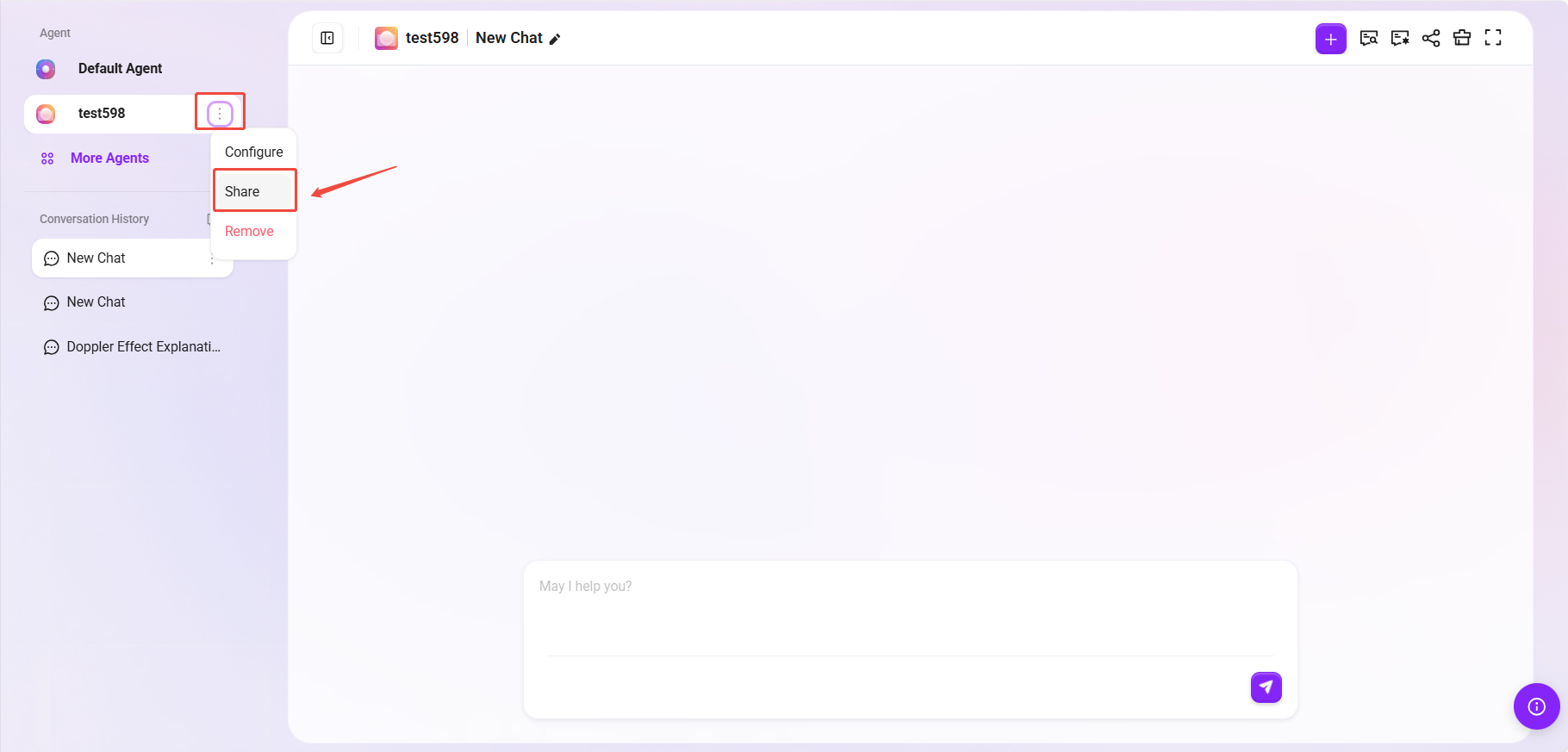
Click the “⋮” next to the agent name in the upper-right corner of the Q&A interface.
-
Select “Share”, and the system will generate an exclusive share configuration code.
-
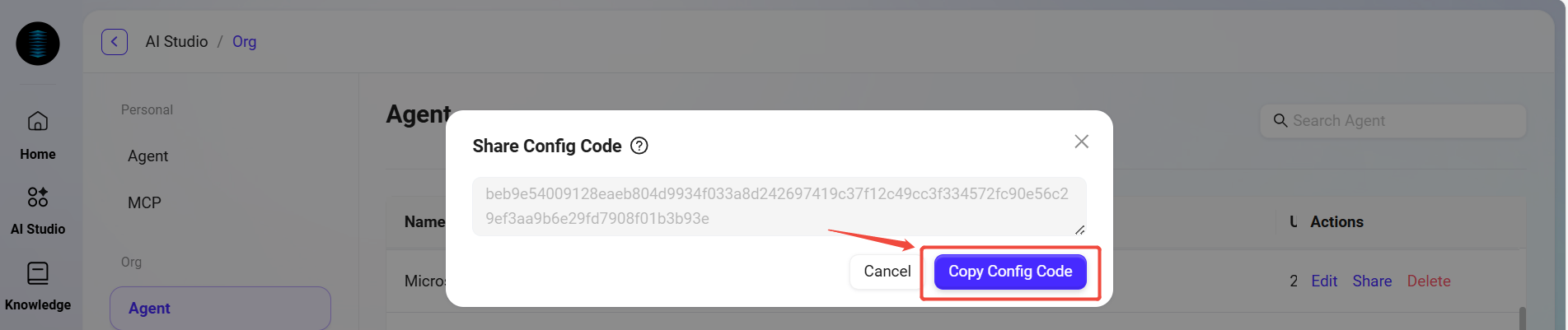
Click “Copy Configuration Code” to save the code for later use.
Method 2: Share via the Agent Management Page
-
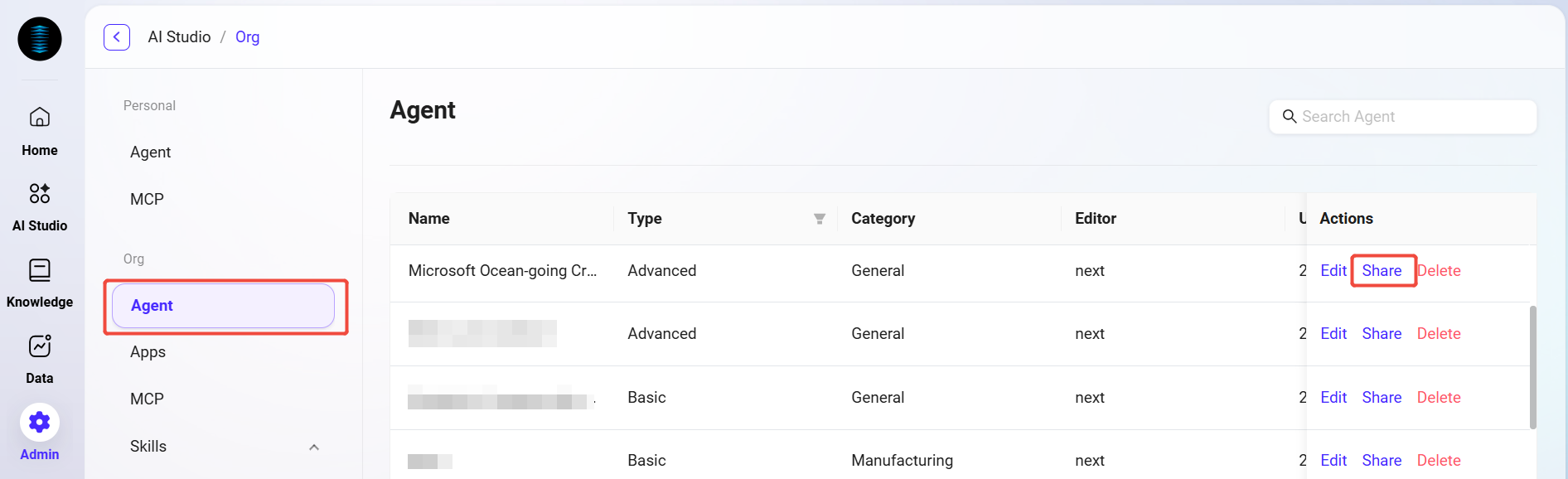
Go to Management -> Agent Management -> Organization -> Agent and find the agent you want to share;
-
Click the “Share” button on the right side of the agent;
-
The system will generate an exclusive share configuration code;
-
Click “Copy Configuration Code” to save the code for later use.
Create an Agent Using the Configuration Code
-
Return to the AI Asset page and click the “Create” button in the upper-right corner;
-
Select “Create with Share Code” as the creation method;
-
Paste the configuration code you just copied into the pop-up input box, then click “Create”;
-
The system will automatically redirect to the corresponding configuration page. If you select “Public Agent”, it will be an organization-level Agent.
💡 Note: After the system redirects to the configuration page, users can make personalized adjustments and modifications based on the original configuration provided by the system according to their specific needs.