
Objective: Generate an API Key for a published Agent so it can be called by external systems, and obtain the official API documentation for integration.
Create an API Key
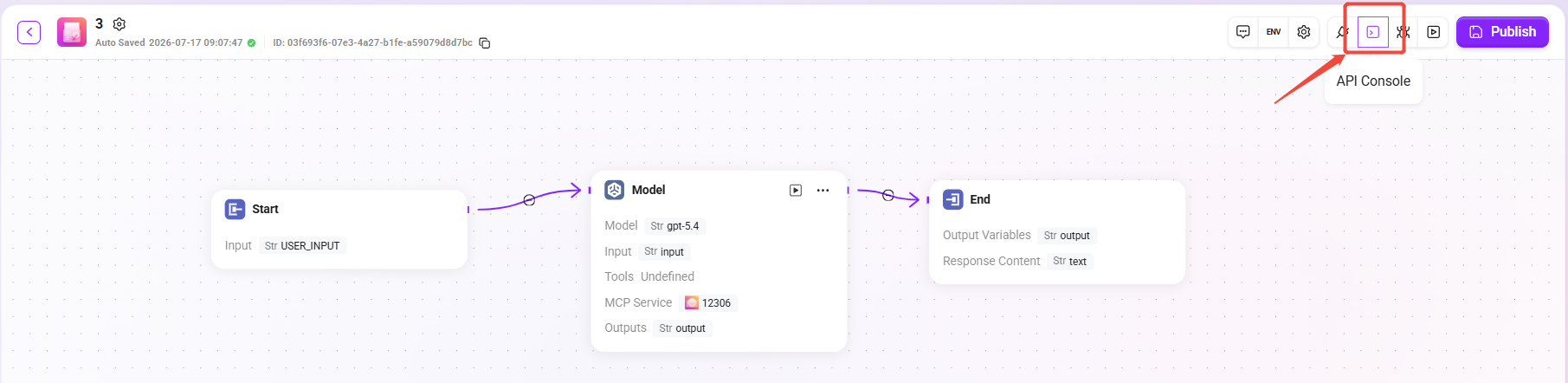
Enter the Agent's API Console
-
On the Agent orchestration page, click API Console in the upper-right corner.
-
After entering, you will see the API channels list page.
Create an API Channel
-
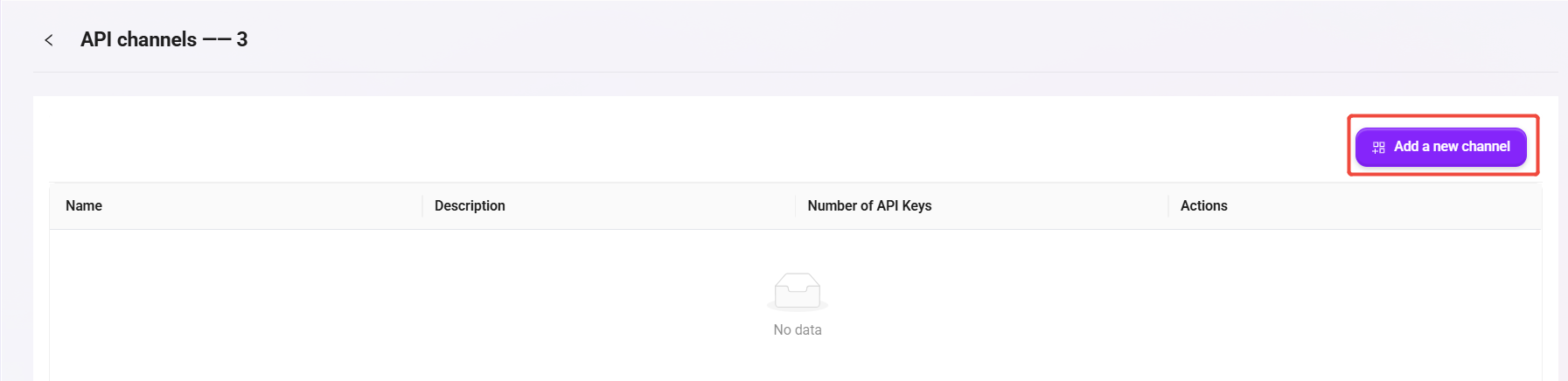
Click Add a new channel.
-
In the pop-up window, fill in:
-
Name: for example
API -
Description: for example
API
-
-
Click Save to save.
Enter the Channel's key page
-
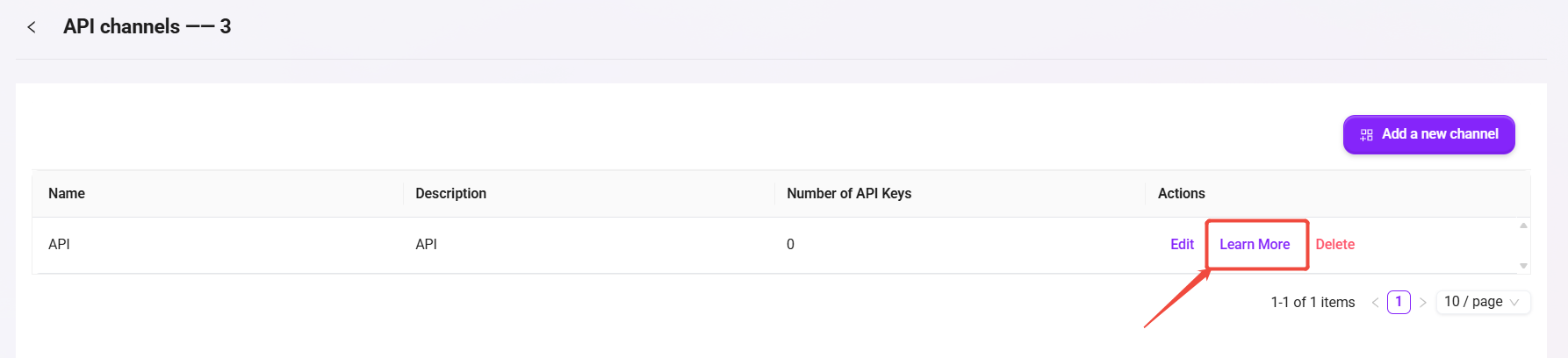
Find the record you just created in the channel list.
-
Click Learn More to enter the API Keys page.
Generate an API Key
-
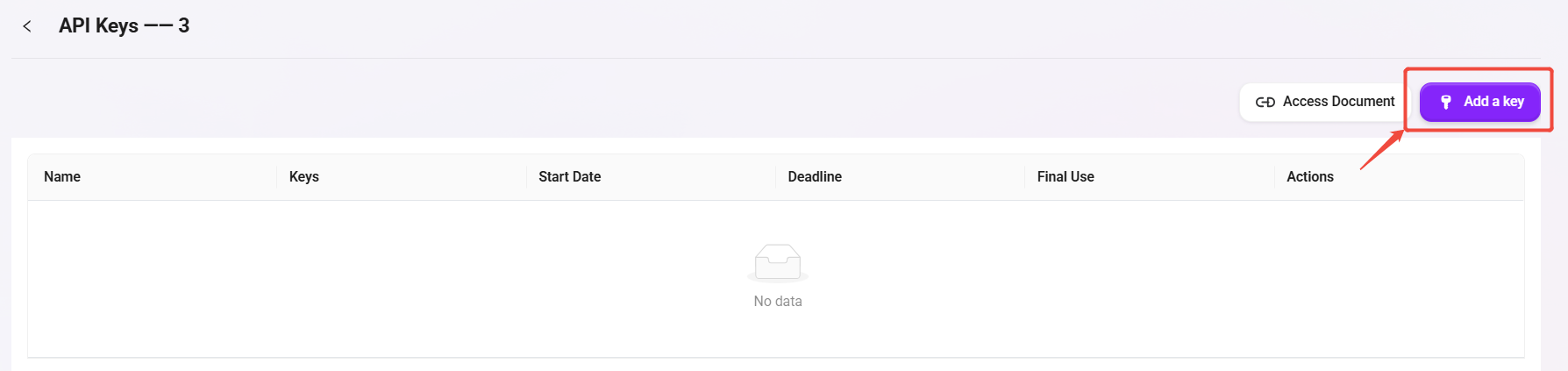
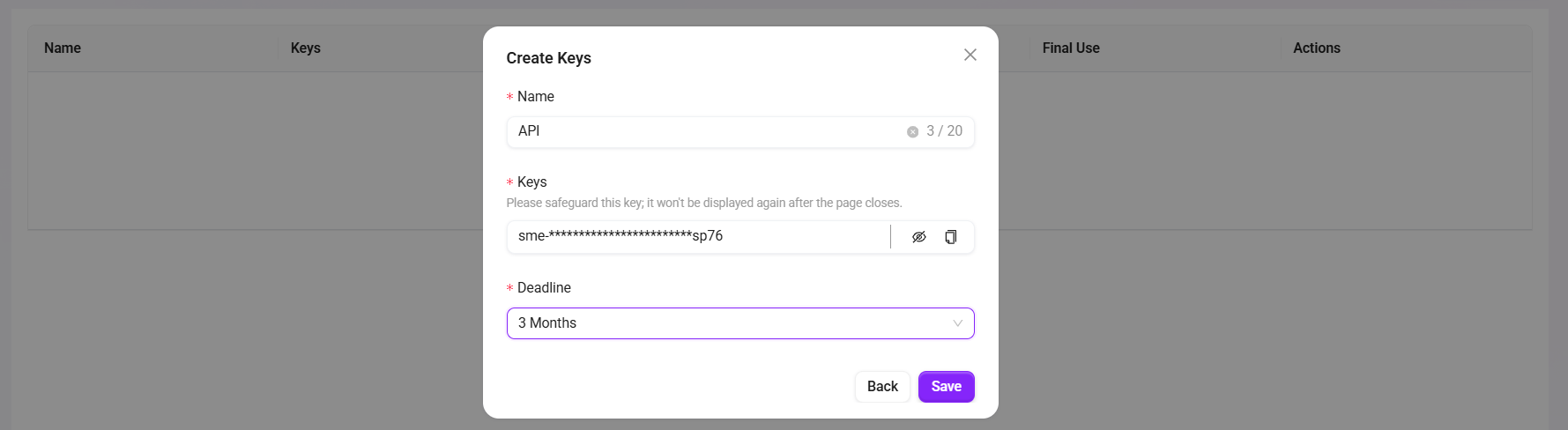
Click Add a key.
-
In the pop-up window, set:
-
Name: for example
API -
Deadline: select the validity period as needed (for example, 3 Months)
-
-
Click Save to generate the key.
-
Copy and securely save the Key immediately (it is usually no longer fully displayed after the page is closed).
Obtain the API documentation and integrate
-
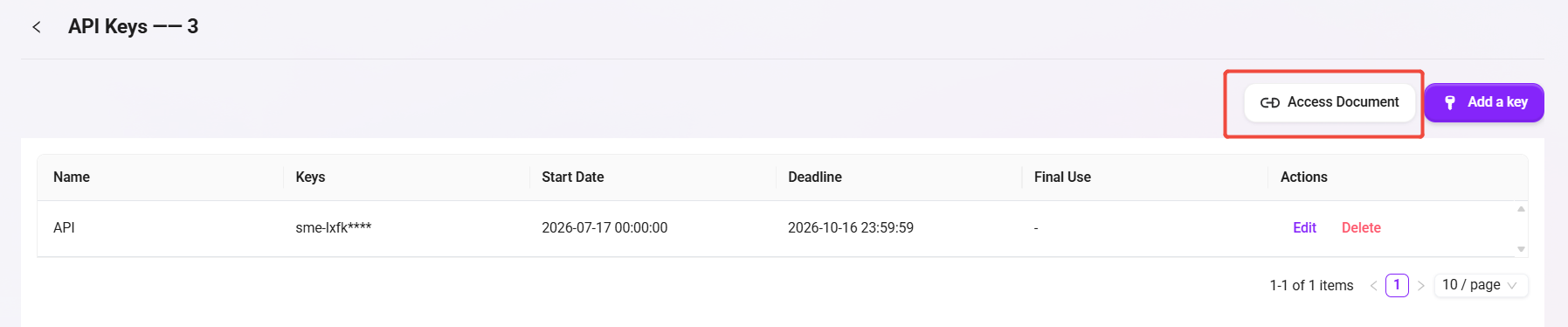
On the API Keys page, click Access Document.
-
In the documentation, copy the following information for external system integration:
-
Request URL (Endpoint)
-
Authentication method (usually
Authorization: Bearer <API_KEY>) -
Request body example (input parameters)
-
Response body example (output fields)
-
-
The external system can call the Agent by sending an HTTP request according to the examples in the documentation.
Call the API and Chat with the Agent
API Key Authentication
-
Method:
POST -
Endpoint:
https://{host}/webapi/lite_api/v2/api/chat-with-bot/chat -
Header:
api-key: YOUR_API_KEY
Key fields in the request body (JSON):
-
messages(required): an array of conversation messages;rolesupportsuser/ai/system/human/assistant -
stream(optional, defaultfalse): whether to return a streaming response -
show_tool_result(optional, defaultfalse): whether to return tool results or references -
file_id(optional): file ID (string or array of strings) -
workspace_id(optional): workspace ID (string or array of strings) -
layout_mode(optional, default0):1returns knowledge retrieval content,0for normal chat -
skip_hint(optional, defaultfalse): whether to skip the PII prompt
Notes:
-
It is recommended that the
roleof the last message behumanoruser -
For image input, you must first call the "Upload Image API" to obtain
image_ids
Minimal request example:
{
	"messages": [
		{"role": "system", "content": "Today is Monday"},
		{
			"role": "user",
			"content": [
				{"type": "text", "text": "Please describe the following images"},
				{"type": "image_ids", "image_ids": ["uuid1", "uuid2"]}
			]
		}
	],
	"stream": false,
	"show_tool_result": false
}
Successful response highlights:
-
Non-streaming:
data.full_outputis the final answer, anddata.tool_resultis the optional tool result -
Streaming: the event stream includes
stream,tool_result, andend
Access Token Authentication
-
Method:
POST -
Endpoint:
https://{host}/webapi/lite_api/v2/api/chat-with-bot/{agent_id} -
Header:
Authorization: Bearer YOUR_ACCESS_TOKEN
Path parameters:
-
agent_id: the UUID of the target Agent (can be obtained from the Agent page URL)
Key fields in the request body (JSON):
-
messages(required):roleis limited touser/human, and the maximum array length is 1 -
stream,show_tool_result,file_id,workspace_id,layout_mode,skip_hint(same as above) -
conversation_id(optional): multi-turn conversation session ID; if not provided, the system creates one and returns it in the response
Minimal request example:
{
	"messages": [
		{
			"role": "user",
			"content": [
				{"type": "text", "text": "Please describe the following images"},
				{"type": "image_ids", "image_ids": ["uuid1", "uuid2"]}
			]
		}
	],
	"stream": false,
	"show_tool_result": false,
	"layout_mode": 0,
	"conversation_id": null
}
Successful response highlights:
-
data.conversation_id: used for reuse in subsequent multi-turn conversations -
data.full_output: the final answer
Upload Images
-
Method:
POST -
New Endpoint (recommended):
https://{host}/webapi/lite_api/v2/api/chat-with-bot/upload-images -
Old Endpoint (to be deprecated soon):
https://{host}/webapi/lite_api/v2/api/chat-with-bot/{agent_id}/upload-images -
Header (example):
api-key: YOUR_API_KEY -
Content-Type:
multipart/form-data
Request parameters:
-
files(required): one or more image files
Successful response example:
{
	"code": 201,
	"data": {
		"ids": ["2973a321-905d-4f07-9ad4-ff0ef47a174f"]
	},
	"message": "success"
}
Description:
-
Fill the returned
idsinto theimage_idsfield inmessages[].contentof the chat API to complete image-based Q&A.