
Summary
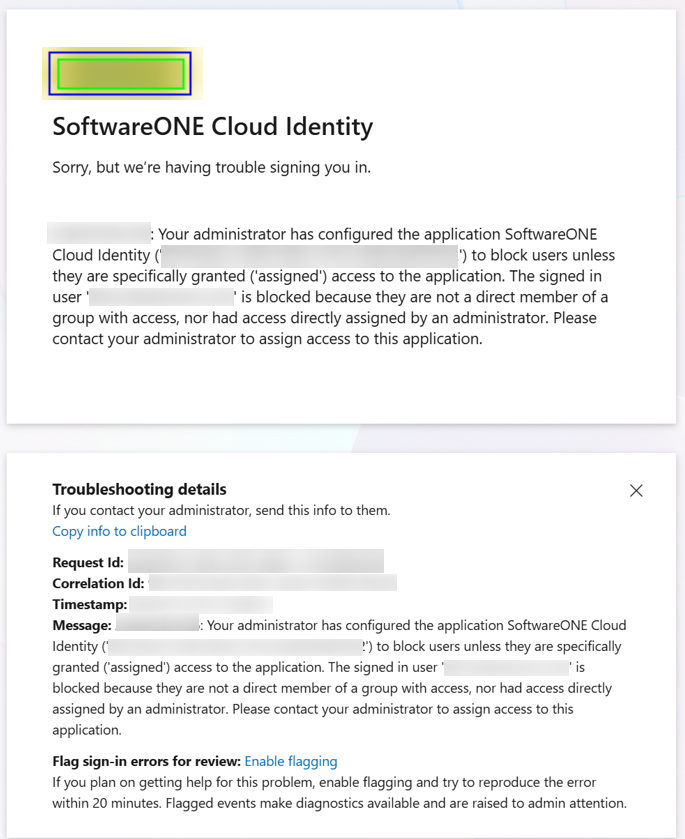
After choosing “Microsoft” to login to the SoftwareOne Services Portal (SSP), you are presented with the following modal:
Cause
Your IT Administrator has restricted which users can access the SoftwareOne Identity app used for when logging into the SoftwareOne Services Portal.
This page shows what you can do next and info you can share with your Admin in case useful.
Solution
Action for you
-
Raise a request to your IT Admin to ask that your access be approved to the “SoftwareOne Cloud Identity” EntraID Enterprise App.
-
You can share a link to this page with your admin in case helpful
Action for the EntraID Admin
-
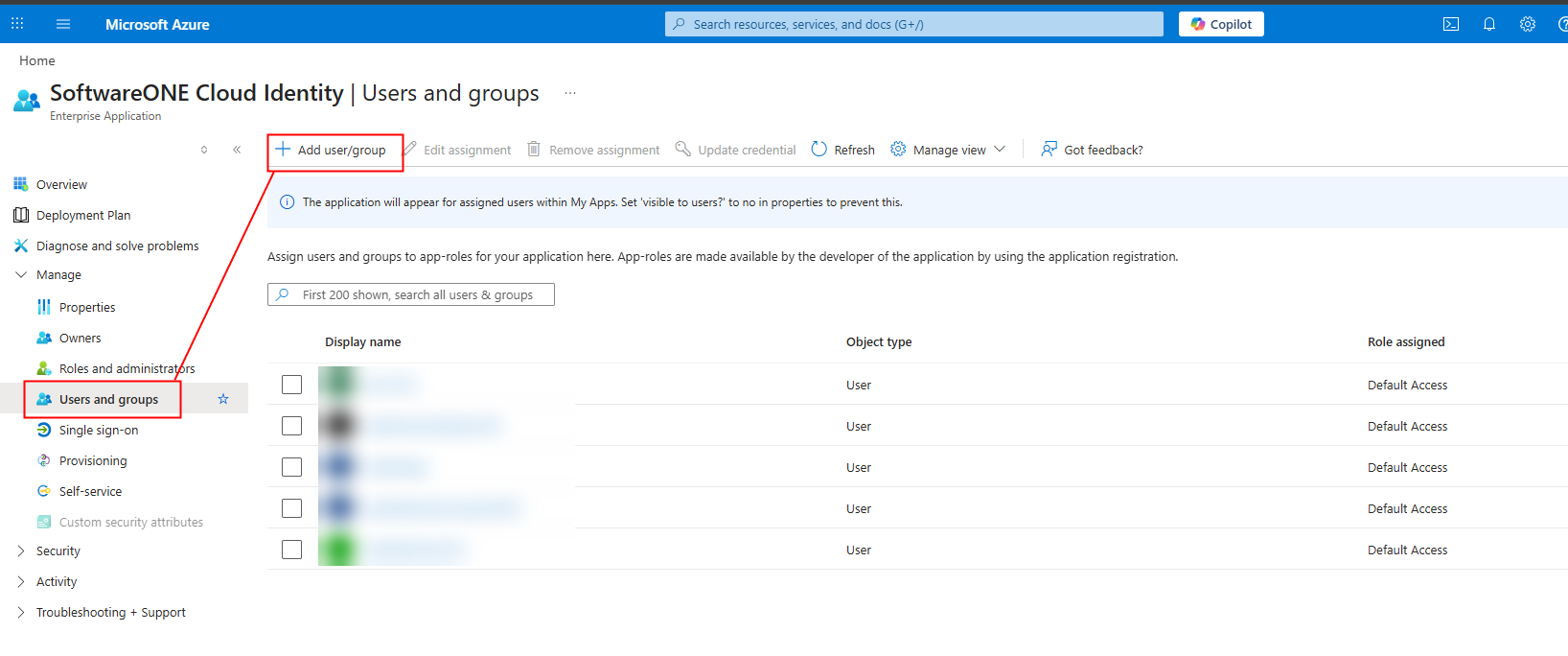
The SoftwareOne Cloud Identity App has one default role so use can be added to User and Groups for the app as below:
-
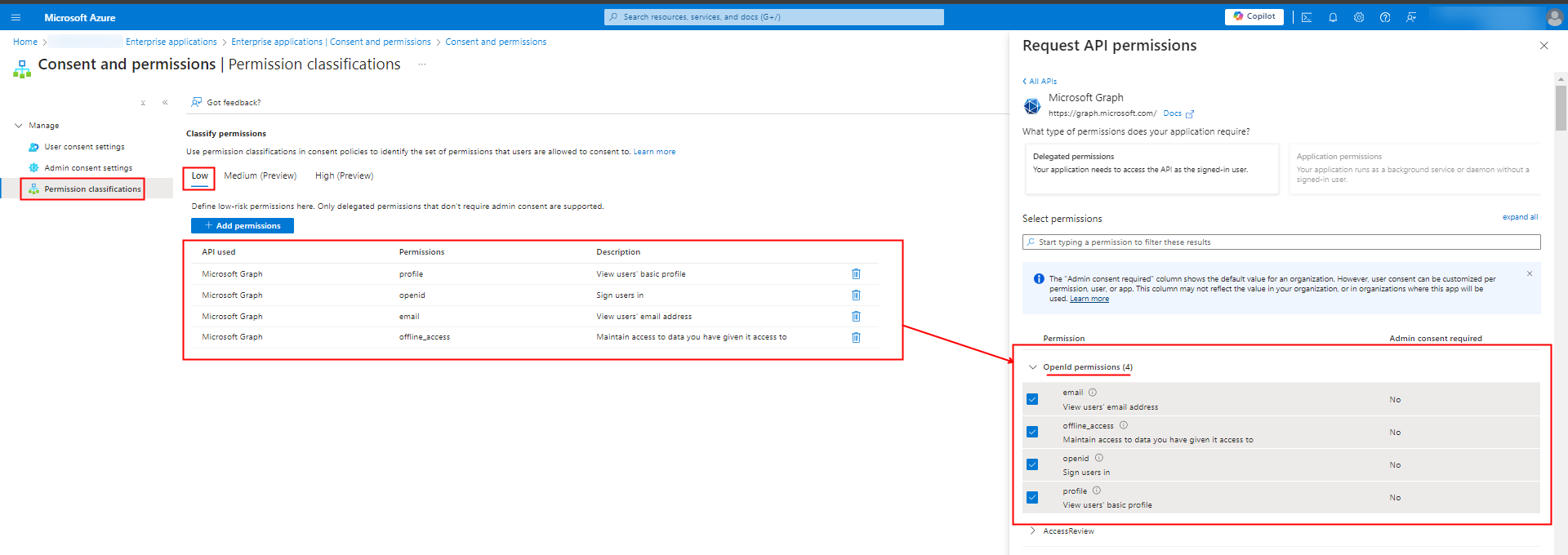
For info,the 4 permissions required by the app are shown, classified as low impact in the OpenID protocol:
Further Information
-
For info, the user request will be in the Admin Consent Request page of EntraID as shown below:
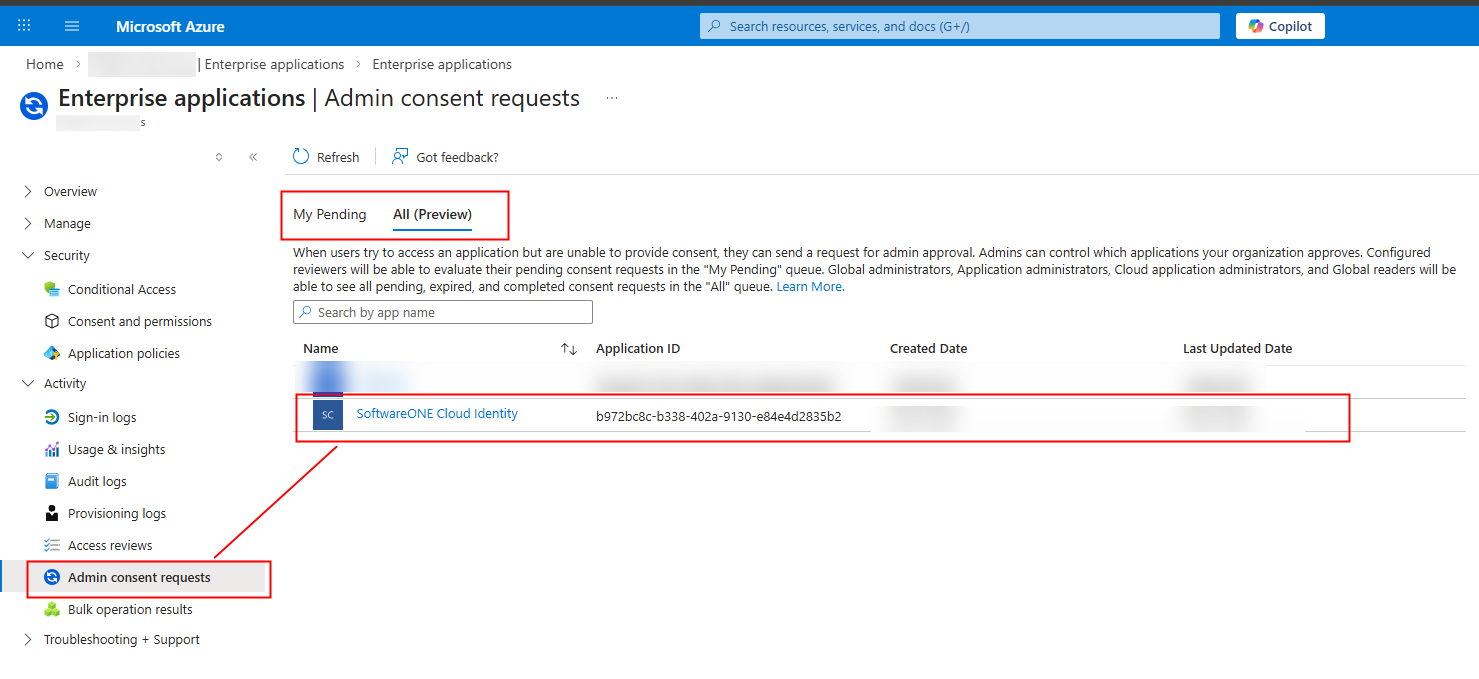
Click on the app to Approve.
-
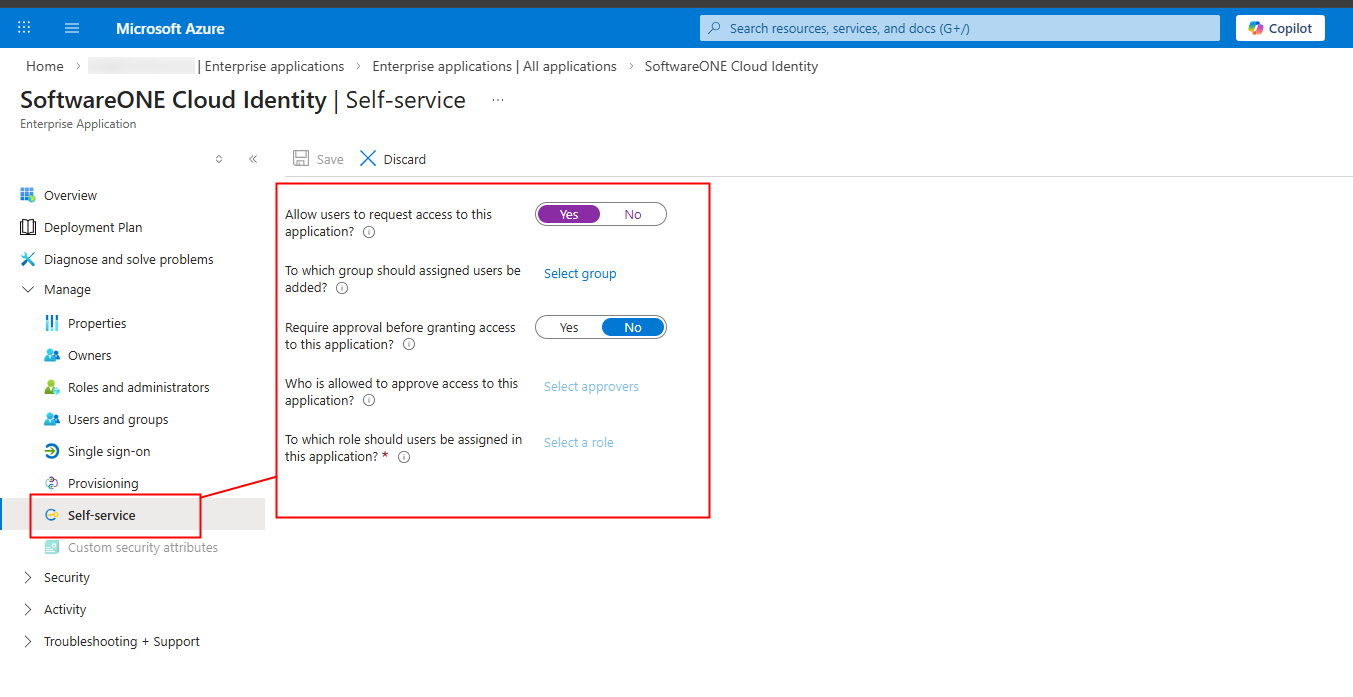
You might consider allowing the app for self-service:
Further reading..
-
On the SoftwareOne Cloud identity application application, refer to our KB article:Microsoft Authentication Application details
-
From Microsoft on configuring Consent: