
This document describes how to download a list of My Company Ticket from the Services Portal.
Prerequisites
-
Access to the Service Management Report
Procedure
|
Step |
Key Action |
Detail |
|
1 |
Login to the Services Portal |
Go to https://portal.softwareone.cloud and login
|
|
2 |
Go to Reports |
Click on the Reports Tile 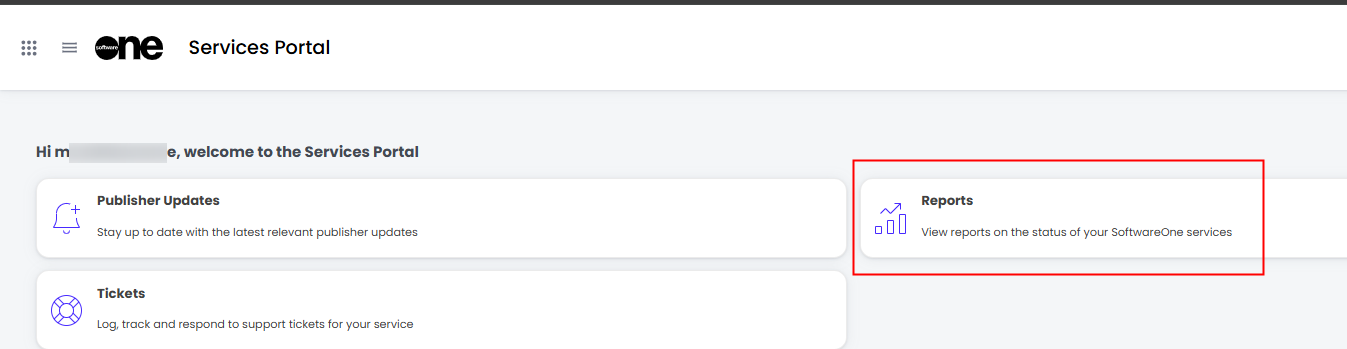
|
|
3 |
Open the Service Management Report and go to the Tickets Table |
As shown: 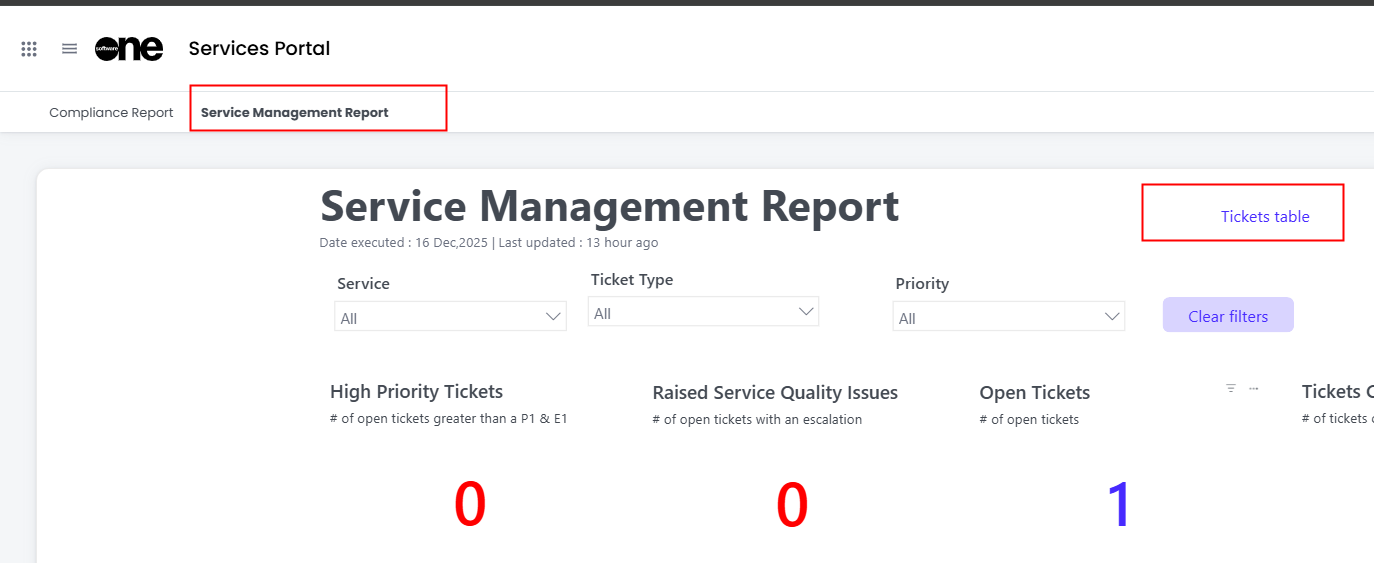
|
|
4 |
From the Table Options, choose Export Data..
|
Hover the mouse over the top right hand side of the Tickets Table to reveal the Table Options, as shown below. Click on the”…” 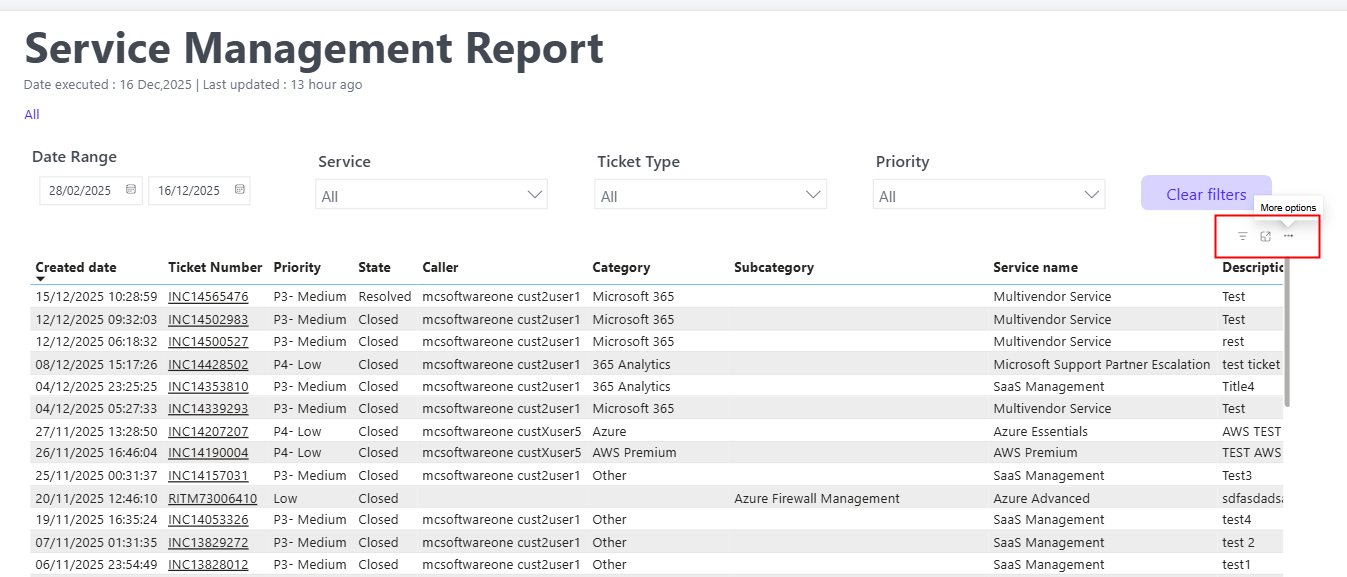
Choose Export data, as shown: 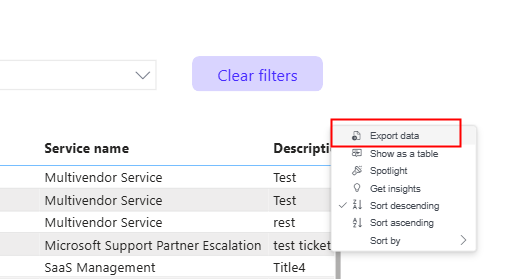
|
|
|
Choose “Data with current layout” and Export |
As shown: 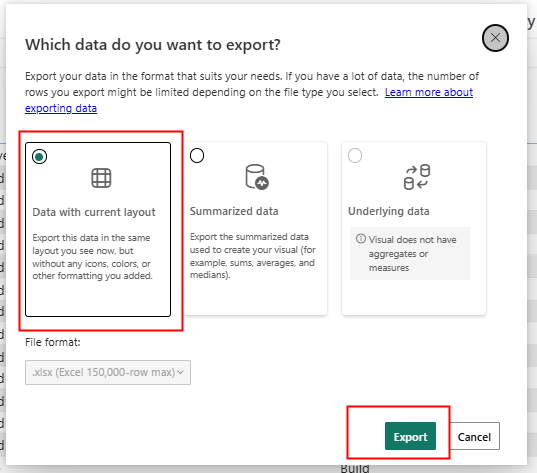
|
|
The Ticket table will be exported as CSV to your default downloads folder |
||