
SoftwareOne have migrated to a new Service Management platform which uses “Cases” to track work.
We do apologise for any inconvenience, this does mean there will be some incremental changes happening in the short term as we work to improve the experience.
If you do have any issues you can email us at support@softwareone.com
We will list our known issues here:
|
Issue |
Description |
Impact |
|---|---|---|
|
Service, Category and Subcategory not showing in table |
After raising a case the Service, Category and Subcategory columns are blank |
Your case is still registered with the team but granular reporting and filtering is restricted until this is resolved. |
|
Spinner shows forever on My Tickets or My Company Tickets |
When opening Tickets some customers are given a spinner that never ends. |
Stops you seeing any tickets. You can hit Create to create a new ticket |
|
Contracts are listed with contract ID when creating a case |
When creating a case a drop-down is shown with your contract ID’s, and its impossible to know which contract to assign it to |
Please do just choose the first contract and entitlement. The SWO team will ensure it goes to the right place at the back-end |
Accessing Support
You still access support through the Tickets tile:
Depending on your Tickets Role, you will see one or two tabs:
-
My Cases
-
My Company Cases
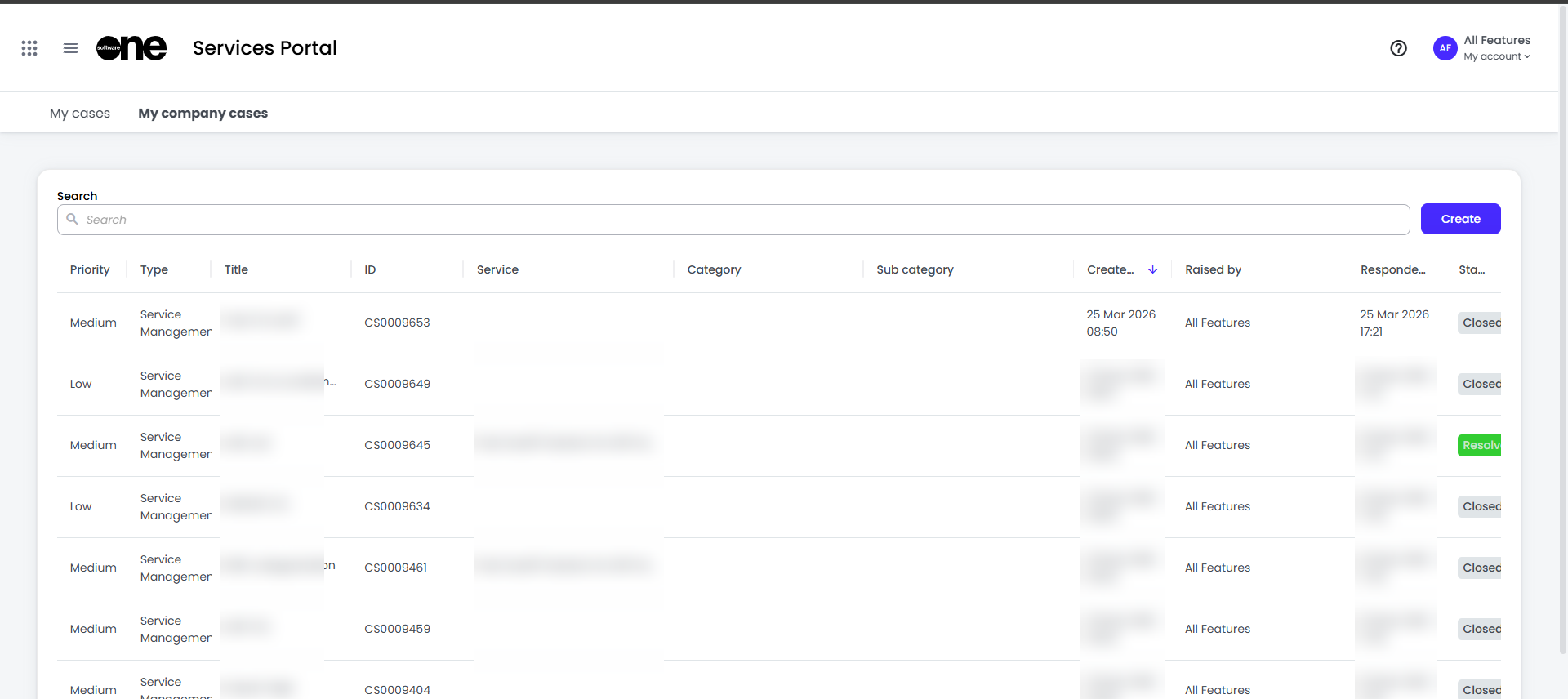
The colmns are as follows:
|
Column name |
Description |
|---|---|
|
Priority |
This is calculated based on the Impact you have submitted when createing a case, combined with a factor SoftwareOne apply to ensure we deal with global issues accordingly. For further information check our Service Levels document |
|
Type |
We now Support two types:
Service Quality Issues are raised by opening an existing case and clicking “Raise Service Quality Issue” |
|
Title |
The short tiltle added when creating the case. This is the Subject line of the email when cases are raised by email |
|
ID |
SoftwareOne’s internal Case identifier |
|
Service |
The Service the case was raised against |
|
Category |
The Category defined when raising the case. This helps get the case to the right team more quickly |
|
Sub Category |
The Category defined when raising the case. This helps get the case to the right sub-team more quickly |
|
Created |
The date the case was created, by portal or by email |
|
Responded On |
The last time you or a SoftwareOne engineer responded to teh case. Click the column title to sort with a down arrow to have the latest responses at the top: 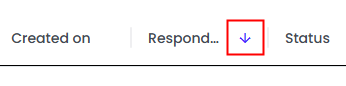
|
|
Status |
We have the following Status: New: Registered but work has not yet started on it Open: Work has started, the ticket is with SoftwareOne Awaiting Info: SoftwareOne are waiting for further information from yourself or from VendorR Resolved:SWO Have marked the item resolved. After 3 days it will be moved to Closed Closed: The ticket has been closed |
|
|
|