
The SoftwareOne Services Portal (SSP) is available at https://portal.softwareone.cloud
-
We support Single Sign On through Microsoft or Google, there’s no need to register, simply choose your provider and login.
-
If you prefer to use a Username and Password, with MFA, with us, then choose Register and follow the activation process.
-
We also support Enterprise Federation; contact us for more information on setting that up.
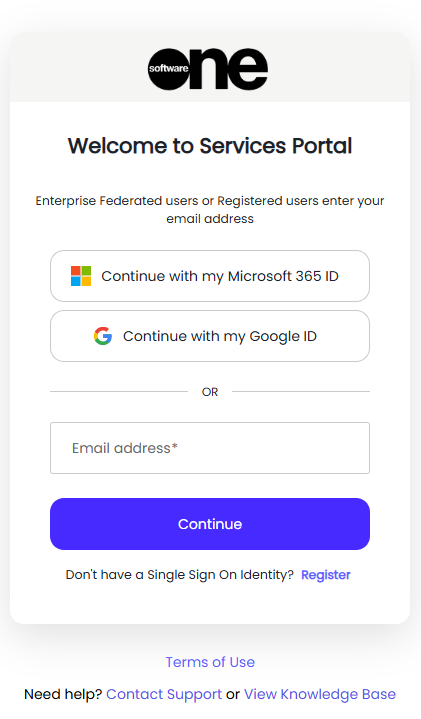
The SSP provides a single point of access to your SoftwareOne Services.
You can:
-
View service documentation, including your Operations Definition.
-
Access specialist tooling such as Cloud Cost Control for Cost Optimization & other tools such as our enterprise grade Backup & Monitoring portals.
You will be given access to the portal during your Service Onboarding.
If you have any difficulties with the SSP you can raise a support query using any of the normal methods
This section includes the following topics:
-
User Management -
How to.. Change your password -
How to.. Resolve "Need admin approval" at login -
How to.. Resolve "Sorry, but we're having trouble signing you in" -
How to.. Receive a password reset email -
How to.. Reset your MFA device -
How to.. Fix the "Login Error" error page -
How to.. Fix the "Email address not found" error -
How to.. Fix an empty Services Portal page -
How to.. Add your email address to EntraID -
How to.. Fix the "Account Linking" error -
How to.. Fix a blank page in the Services Portal -
Microsoft Authentication Application details -
How to.. Create an Enterprise Federation to EntraID -
How to.. Create an Enterprise Federation to SAML -
How to.. Approve the Entra Enterprise Application for Enterprise Federation -
How to.. Login using Enterprise Federation -
How to.. Reset your EntraID's Client Secret for an Enterprise Federation -
Reports -
Publisher Updates -
Automation -
Share a Secret -
Accessing other tools -
Security, Terms and Privacy Statement -
How to.. Send troubleshooting information to the Services Portal team -
What are the FQDN's and Ports used by the Services Portal? -
We're changing our URL to services.softwareone.com