
Overview
You can manage your team’s access to the Services Portal through the User Management function in the menu at the top right hand side of the page:
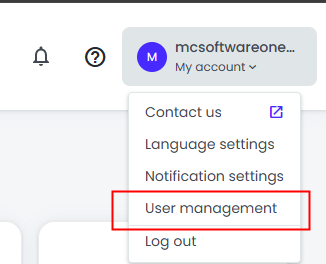
User Management Page
The User Management page shows the following for each user:
-
Name (first-name and surname)
-
Status
-
Active : The user has signed in to the portal.
-
Pending : The user has not yest signed in to the portal
-
-
Email address (this is the email address that must be used when logging into the portal)
-
Last login date
-
Access: The Features the user has access to.
-
Here we don't show the level of access, only the Feature they have access to
-
-
Actions: Select to Edit or Delete a user
The page also allows you to Create a new user account:
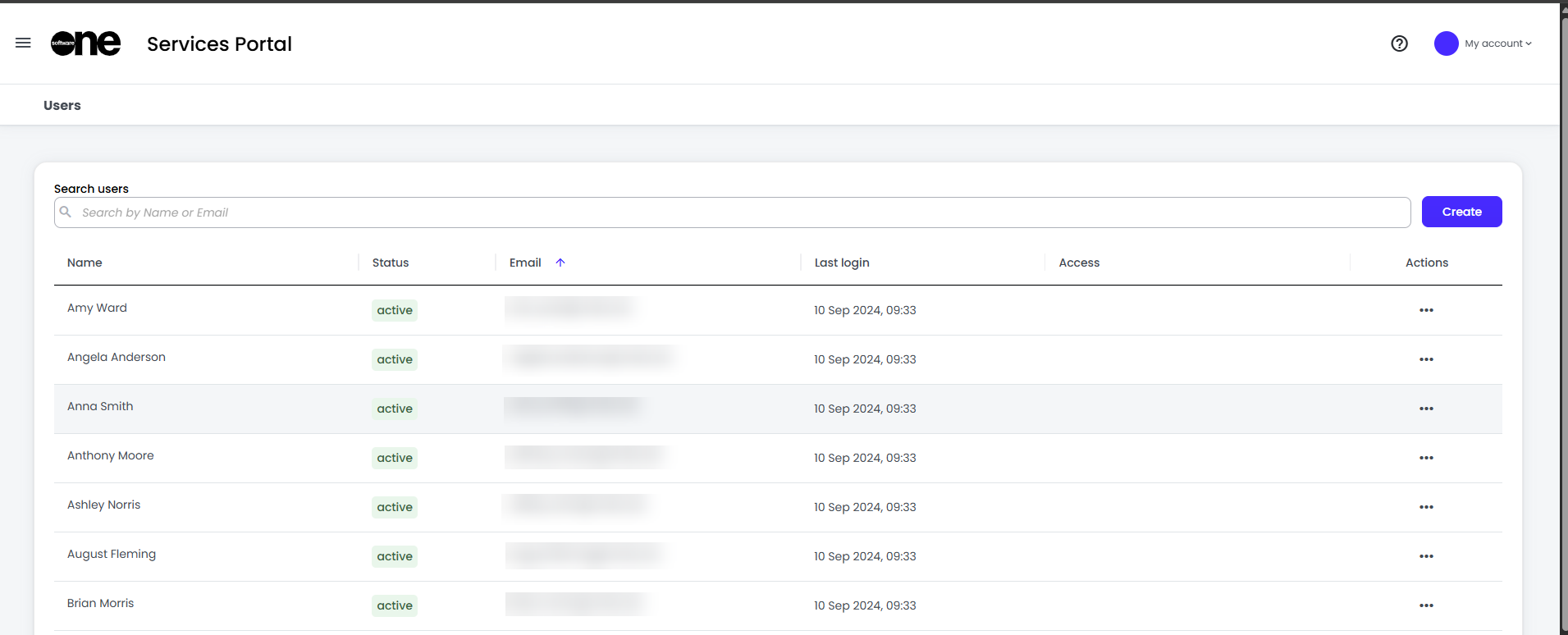
Creating a User account
Clicking on Create will take you to the following modall:
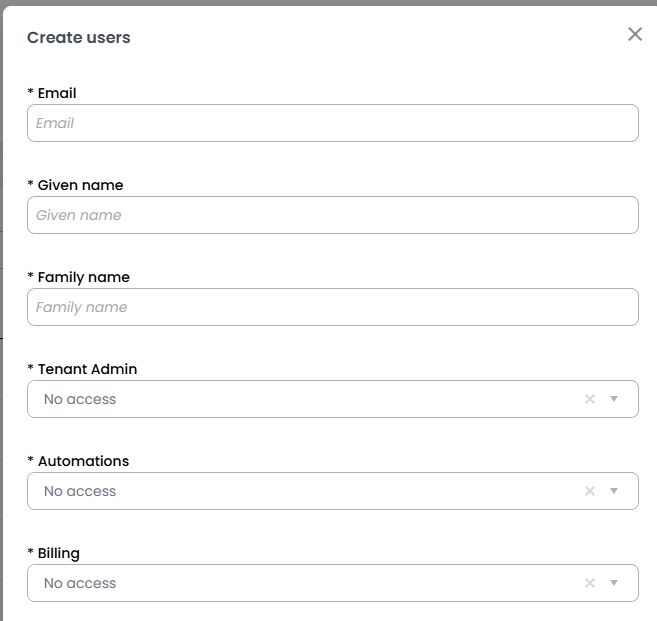
Note that you may have fewer options, depending on the services you have signed up to.
Please reference the following Roles section for details on each roles capabilities.
User Roles
System Roles
|
Role |
Can manage users |
|---|---|
|
User |
no |
|
Tenant Admin |
yes |
Tickets
|
Role |
Raise Troubleshooting and Request Tickets |
View All Company Tickets |
Raise Billing tickets |
|---|---|---|---|
|
Primary Admin |
yes |
yes |
yes |
|
Ticket Admin |
yes |
yes |
no |
|
Ticket User |
yes |
no |
no |
|
Billing User |
no |
no |
yes |
Reports
|
Role |
View all Reports available |
|---|---|
|
View |
yes |