Overview
This page gives Administrators of Azure EntraID, historically known as AzureAD, the details necessary to allow users to authenticate to the SoftwareOne Services Portal (SSP) using their Microsoft Workplace Identity.
The SSP uses a Microsoft Enterprise Application called “SoftwareONE Cloud Identity” to support Microsoft Single Sign On
The SSP utilises Microsoft Identity Platform v2, i.e. OpenID, to authenticate users to Microsoft EntraID, so we require the Graph Permission for OpenID Graph permissions be enabled for the SoftwareOne Cloud Identity app.
This document gives more detail for Administrators of EntraID.
Application Request
When signing in to the SSP using Microsoft, depending on your EntraID policy, your users might see the following prompt:
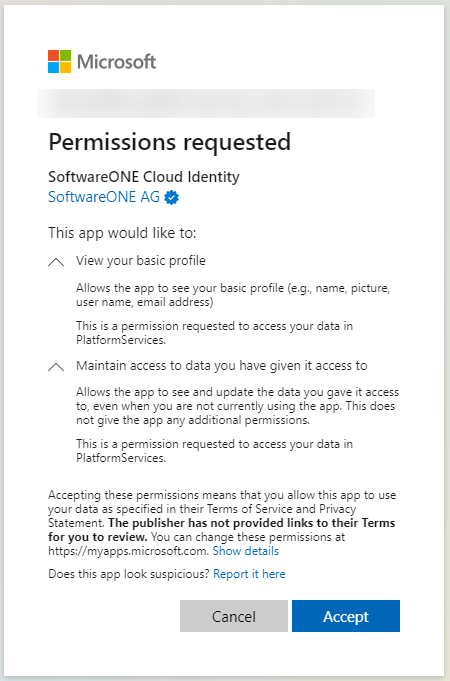
The following sections give detail on the request.
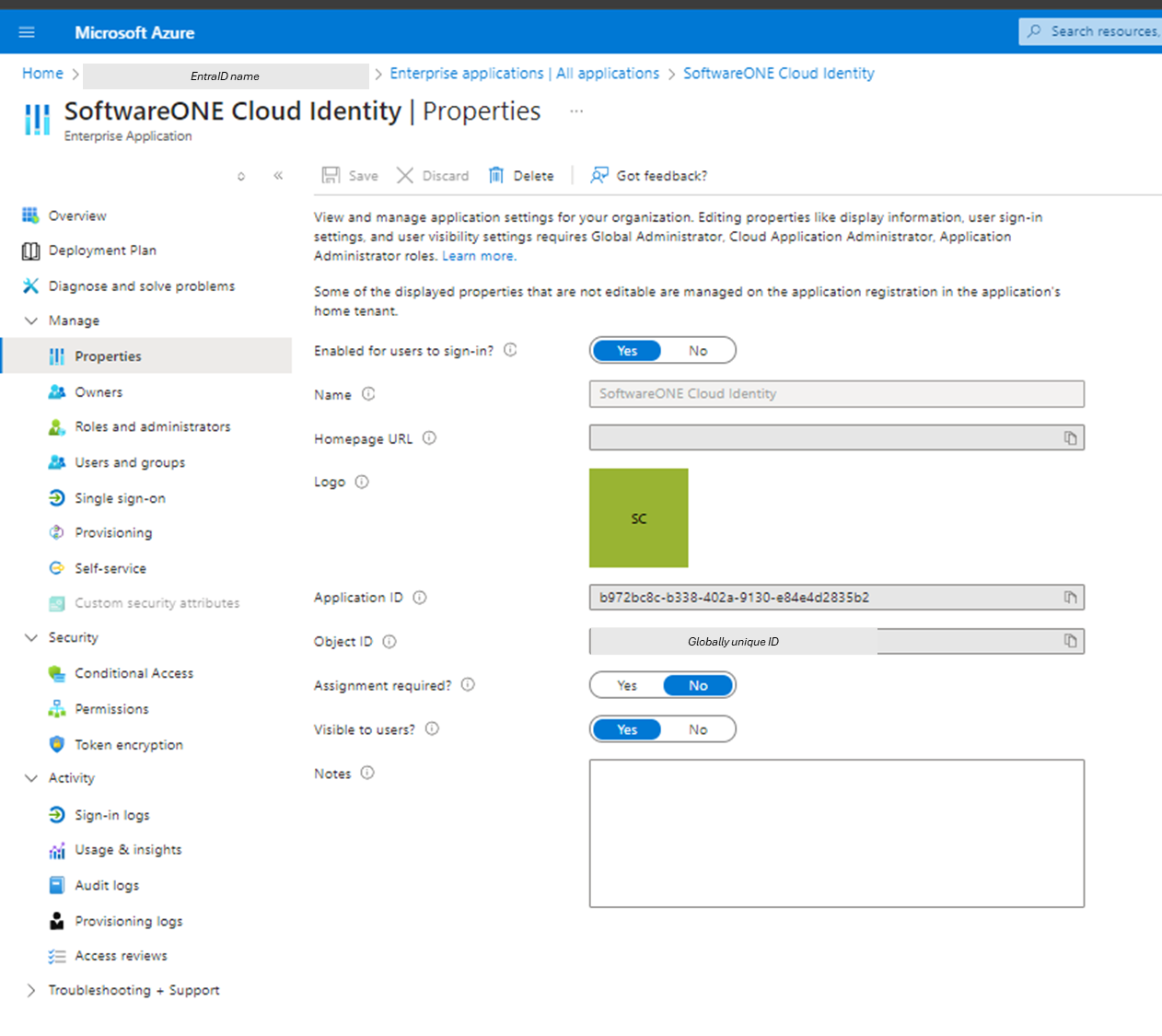
Application Name, Object ID and Application ID
Name: SoftwareONE Cloud Identity
ApplicationID: b972bc8c-b338-402a-9130-e84e4d2835b2
Screenshot of the application when registered in a partner EntraID:

Permissions
The App requires OpenID access in order to :
“View your basic profile (e.g. name, picture, user name, email address)”
and
“Maintain access to data you have given it access to”
openID Graph Permissions
The Application needs all OpenID permissions as shown:
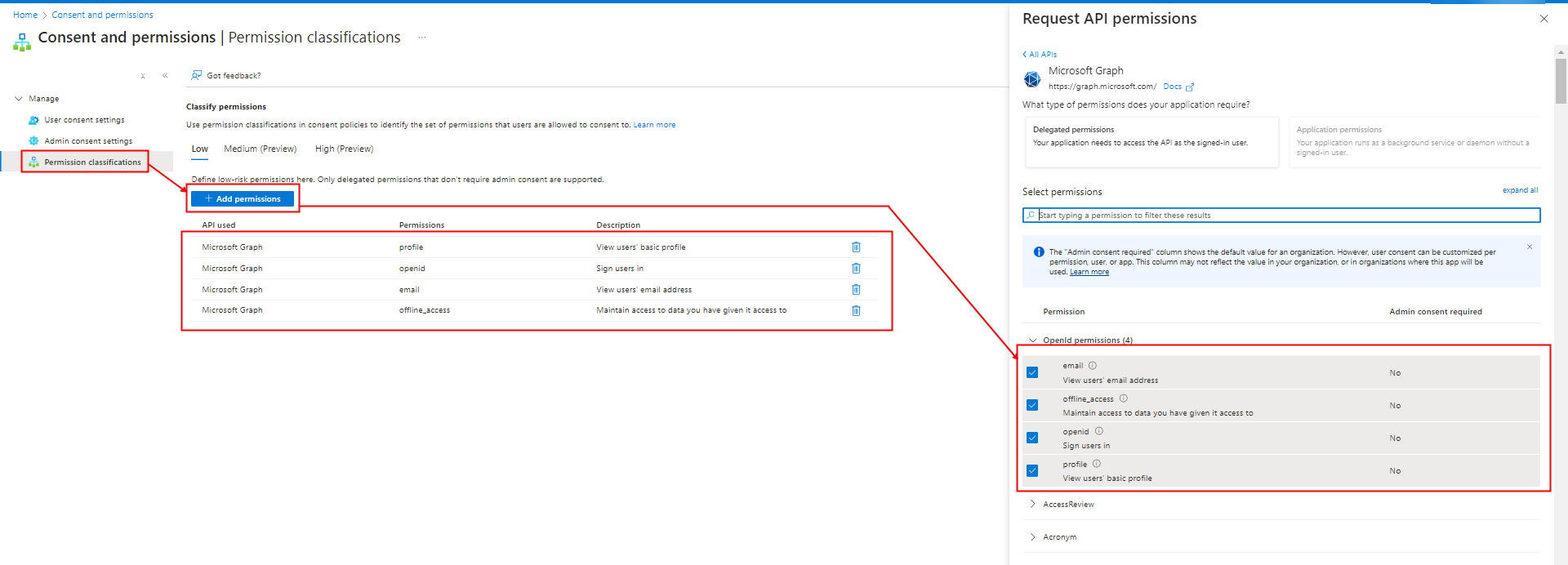
Each of the Permissions, by Microsoft Default, do not require Admin Consent (as shown by the No in the API Permissions table)
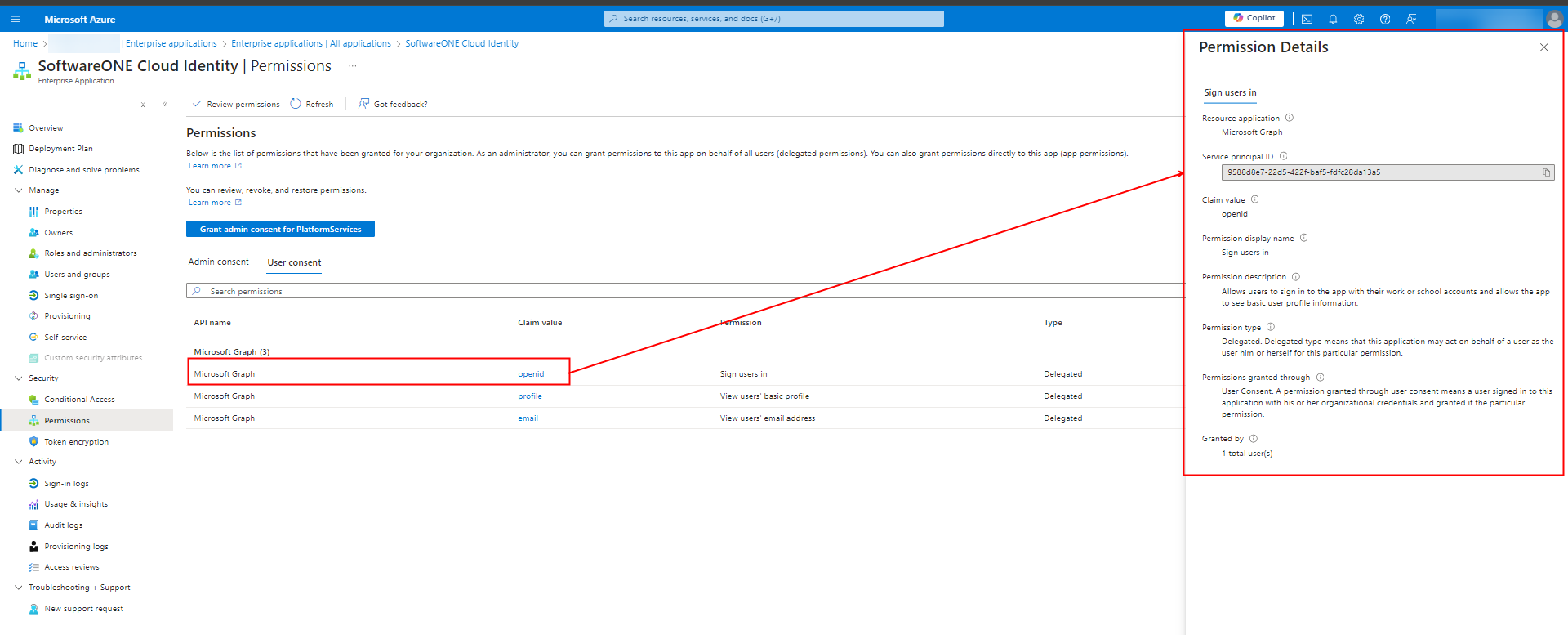
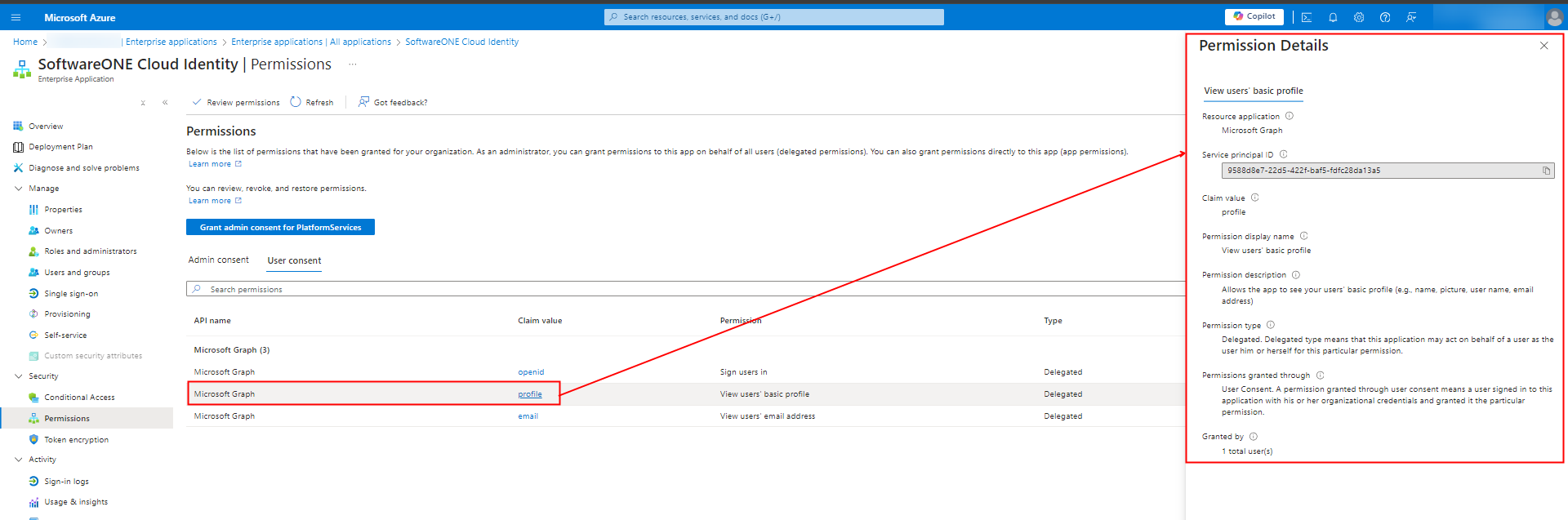
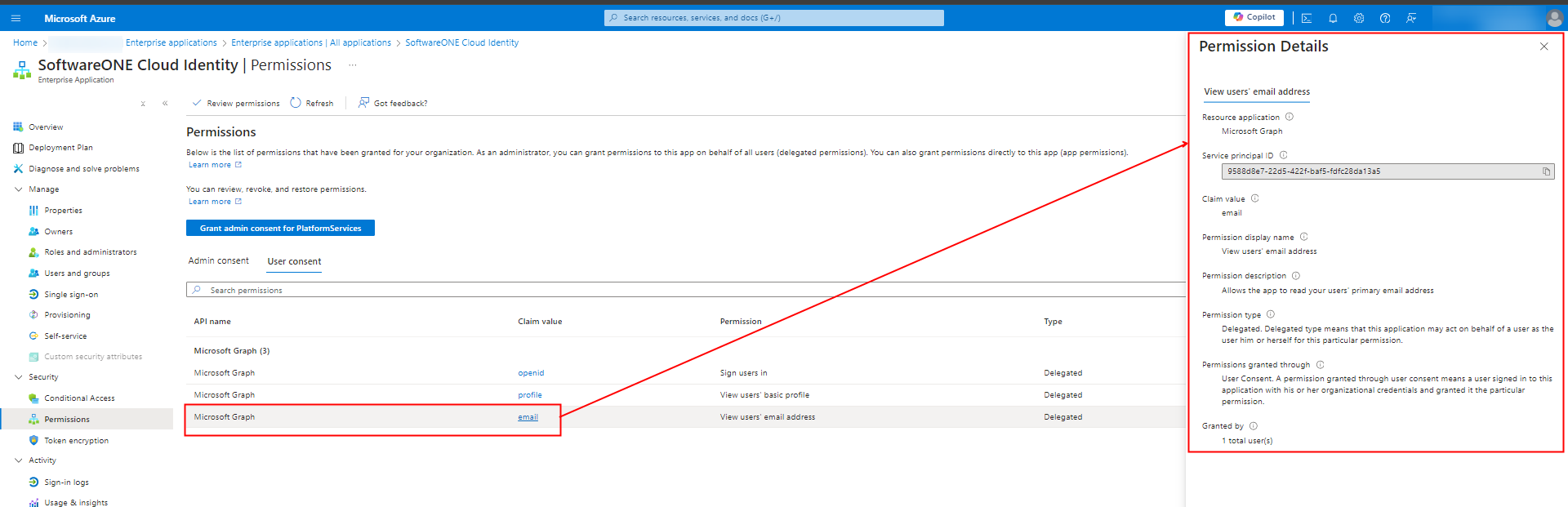
Claim Details
The following screenshot show each Claim the application collects when registered
Audit Log
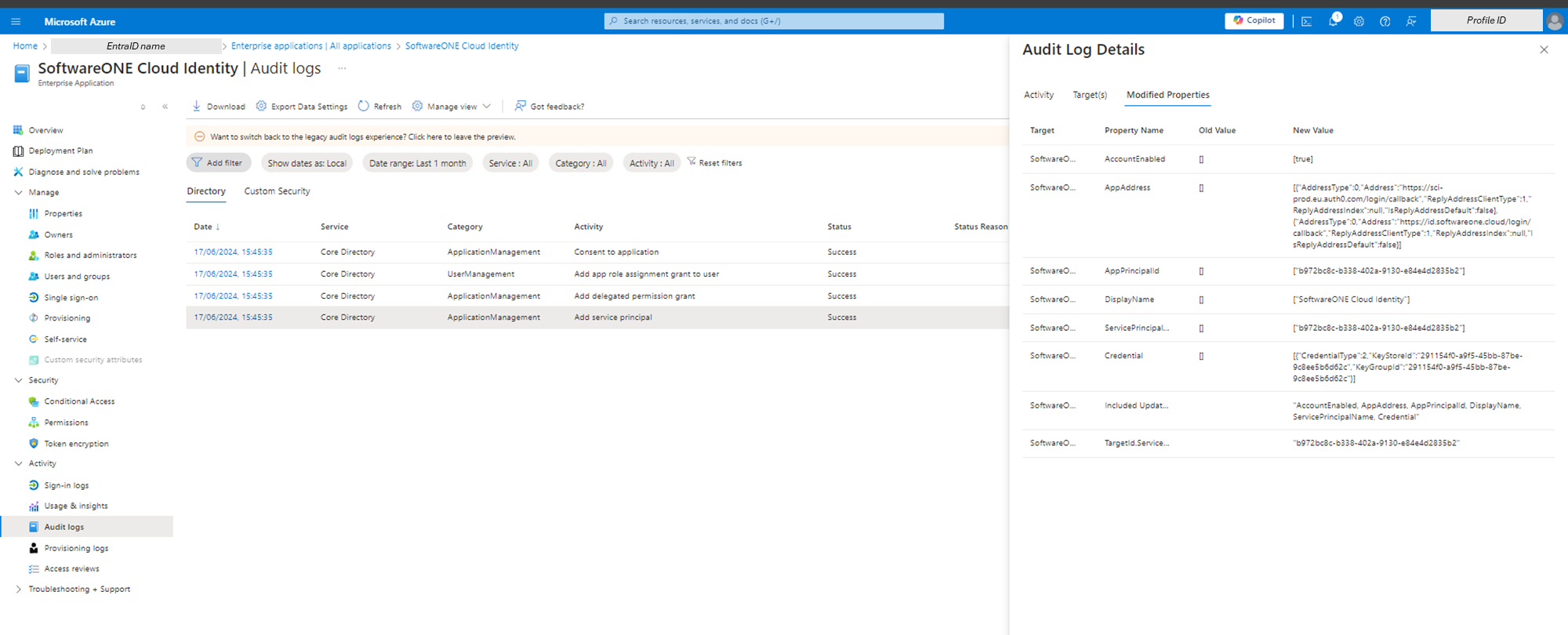
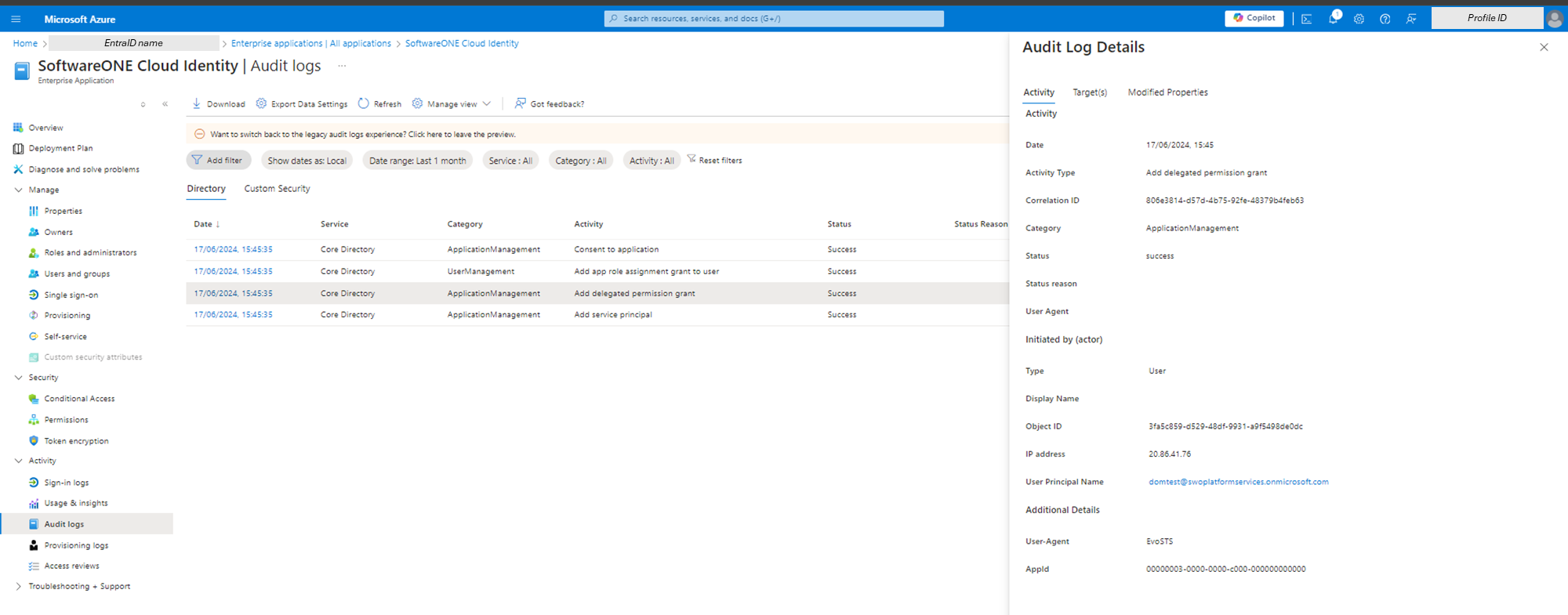
The following Audit Log entries will be seen when the App registers:
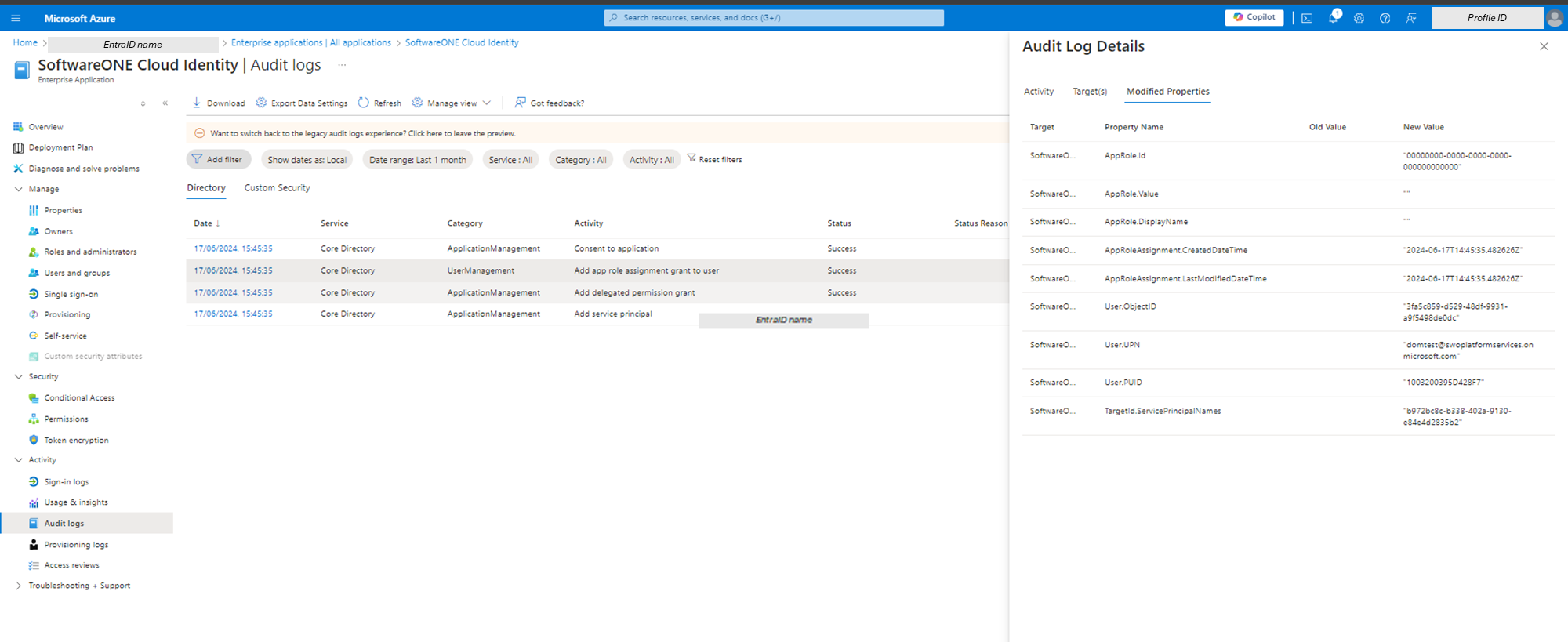
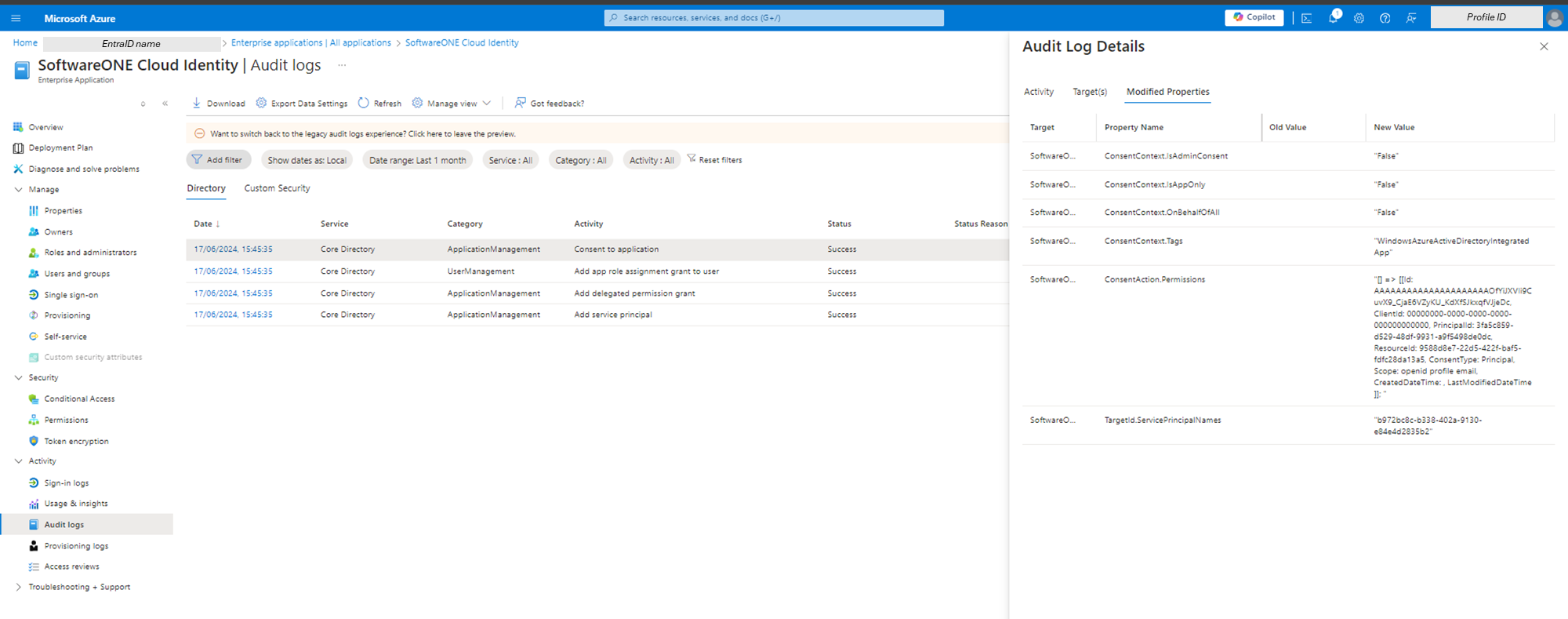
View of registered application
Once registered, the application will show as follows: