Product Overview
Deep Research is a research workflow platform for complex enterprise knowledge tasks. It provides end-to-end automation capabilities from question submission, research plan decomposition, information retrieval and analysis, to report generation, transforming originally fragmented and time-consuming research processes into a standardized process that is traceable, intervenable, and reusable.
Users only need to enter a research topic or specific question, and the system can automatically complete web-wide information retrieval, content analysis, cross-validation, and summarization, ultimately outputting a professional research report with a clear structure and sufficient evidence.
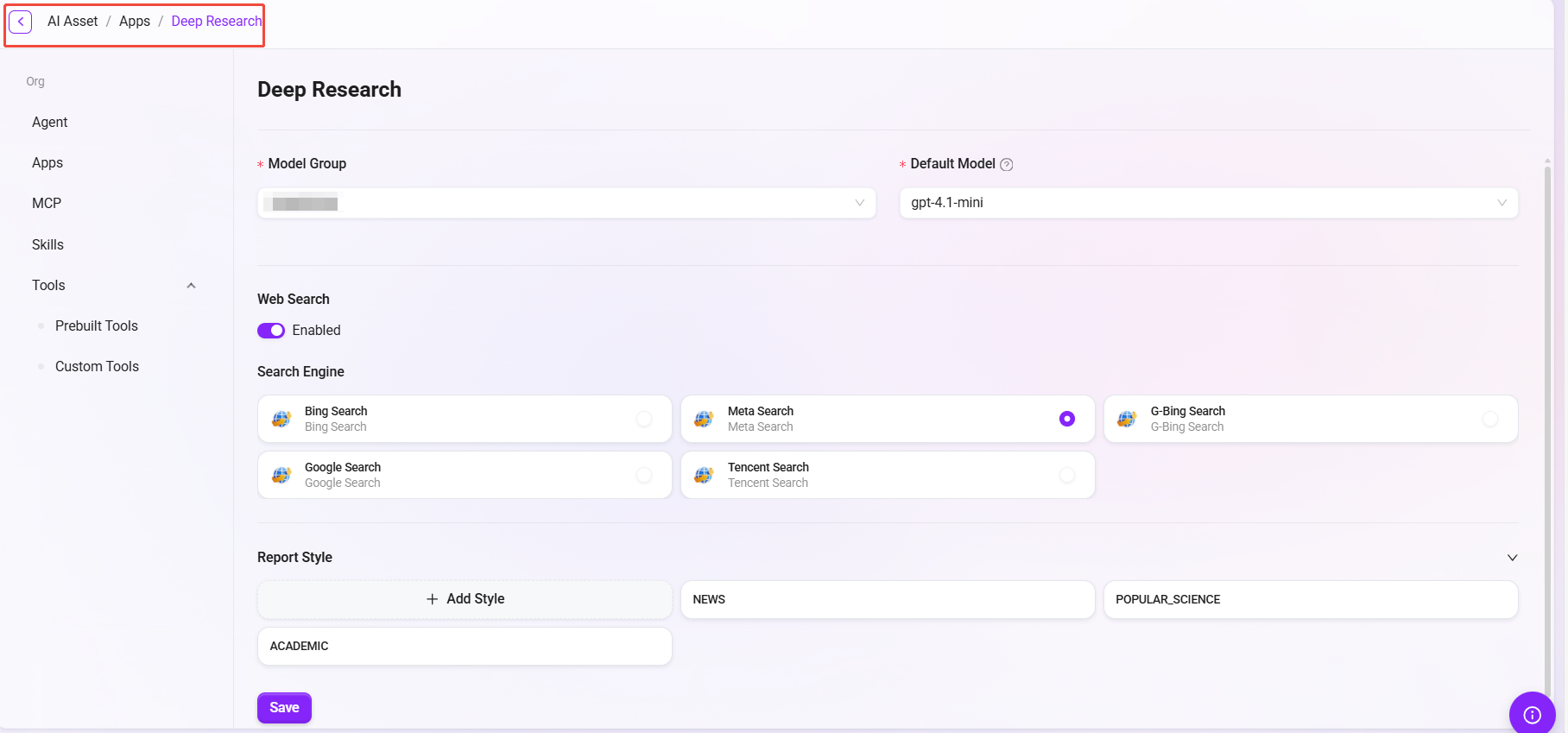
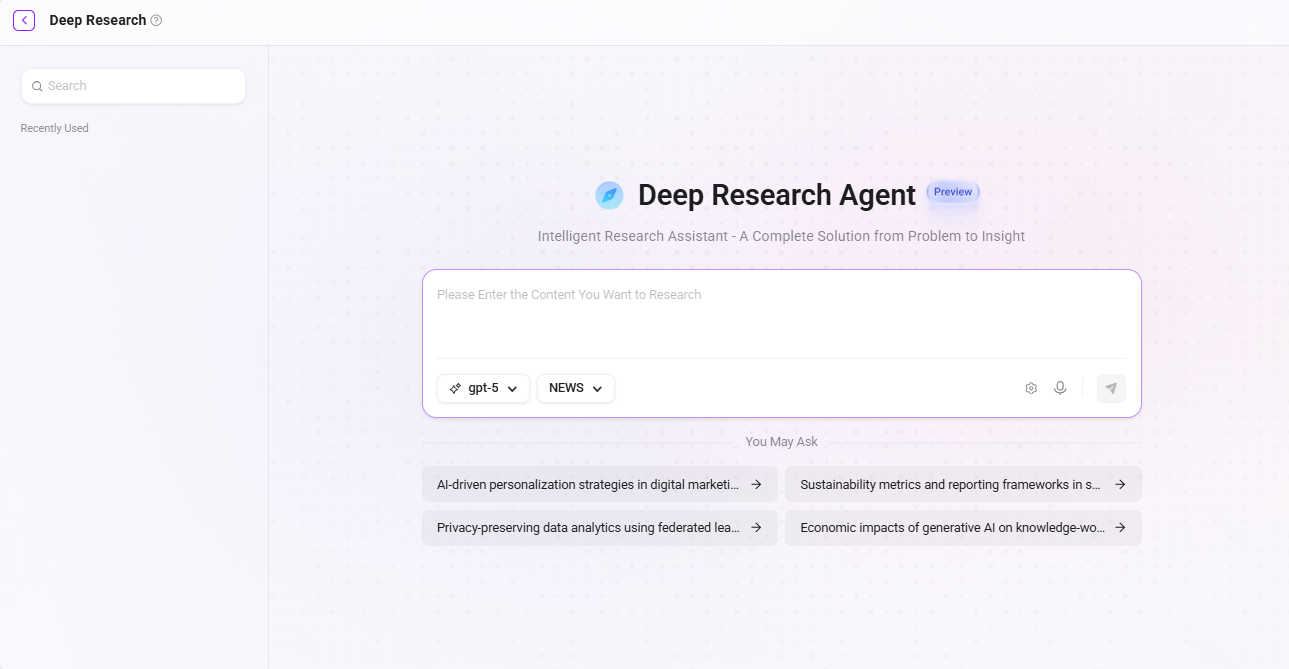
Deep Research page:
Deep Research 2.0 Core Enhancements
|
Feature Enhancement |
Description |
User Value |
|---|---|---|
|
Automatic determination of subtopic count |
The system intelligently determines the research depth and number of branches based on the complexity of the main topic |
Reduces upfront configuration costs and is ready to use out of the box |
|
Support for manual editing of subquestions |
In the early stage of research, users can edit and modify subquestions |
Ensures the research direction is controllable and the process is transparent |
|
Asynchronous execution and notifications |
Research tasks run in the background, with real-time preview available on the right side |
Does not block daily work and supports long-running tasks |
|
Model scope and search engine governance capabilities |
Platform administrators can centrally manage the list of available models and the scope of search engines |
Meets enterprise compliance, cost, and security requirements |
Product Positioning Comparison
|
Dimension |
Standard Q&A / Single-round web search |
Deep Research 2.0 |
|---|---|---|
|
Task type |
Simple information query |
Complex knowledge research |
|
Execution method |
Single request-response |
Multi-round research plan decomposition and execution |
|
User participation |
Only enter a question |
Can manually intervene in subquestions and participate in research path design |
|
Result output |
Single answer |
Structured, traceable research report |
|
Platform governance |
None |
Unified control of models and search scope |
One-sentence positioning:
Deep Research 2.0 is a workflow engine for enterprise-level complex research tasks, emphasizing research plan decomposition, task closed-loop execution, platform governance, and controllability.
Typical Application Scenarios
-
Market and strategy analysis: Quickly complete research on industry trends, competitor dynamics, and market opportunities.
-
Sales and customer support: Efficiently prepare customer materials, project proposals, and professional Q&A content.
-
R&D and knowledge management: Track technological developments, investigate academic frontiers, and integrate domain knowledge.
Core Value
-
Process automation: Replaces repetitive manual searching, reading, and organizing work, significantly shortening the research cycle.
-
Structured output: Reports are clearly layered and well-supported, and can be directly used for briefings, proposals, or decision-making materials.
-
Professional content: Generated content is naturally expressed, uses accurate terminology, and fits business and academic scenarios.
Using Deep Research
Prerequisites
Administrator:
-
Configure the model (recommended model: gpt-5.4)
-
Configure OCR environment variables
-
Configure web search tools and MCP (optional)
User:
-
Complete the initial configuration in Deep Research
-
Have access permission to the Deep Research APP
Open Deep Research
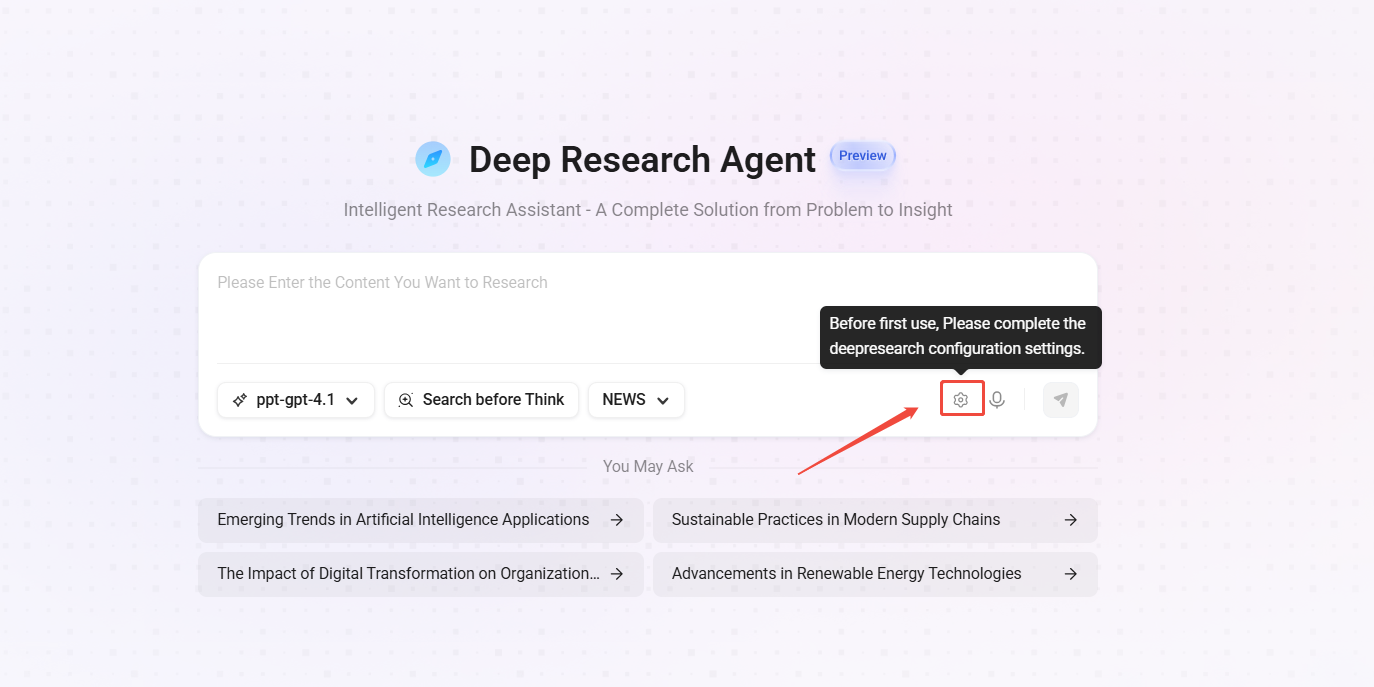
Initial Configuration (only required for first-time use)
Before first use, you need to complete the required configuration settings (items marked with “*” are mandatory). After completing the configuration on each page, be sure to click the “Save” button to make the settings take effect.
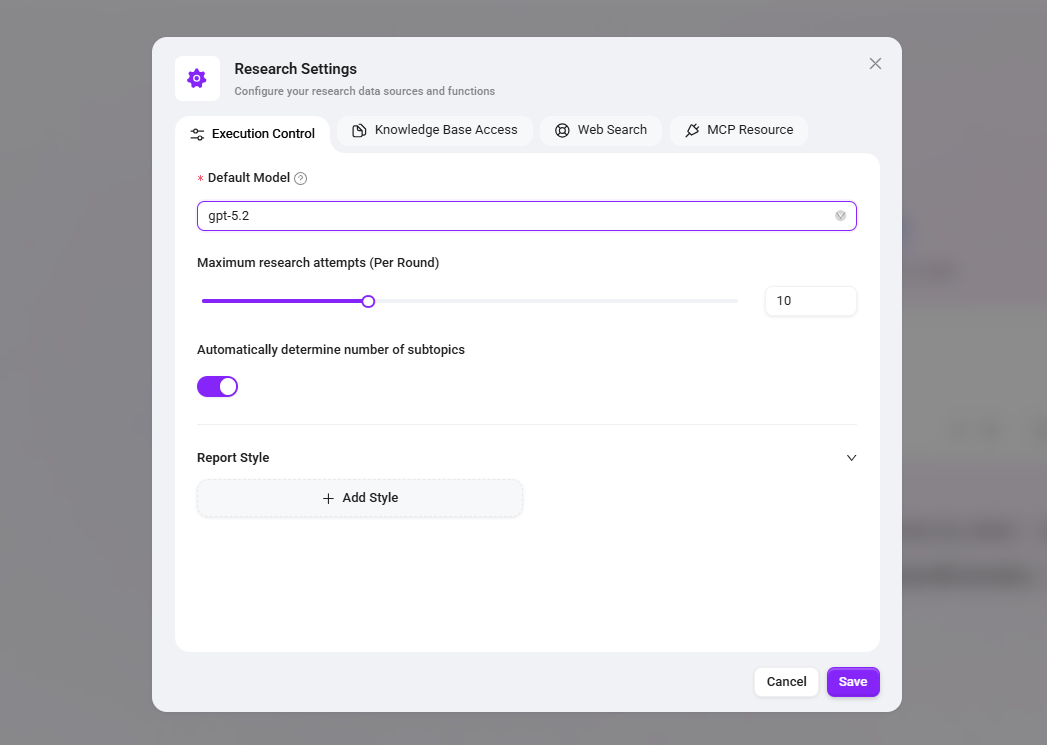
Execution Control Configuration
|
Configuration Item |
Recommended Value |
Reason |
|---|---|---|
|
Default model |
Latest flagship model (such as gpt-5.5) |
Deep research has extremely high requirements for reasoning, summarization, and citation capabilities, and the latest models perform best |
|
Maximum research iterations (per round) |
1-30 times |
Balances depth and efficiency: fewer than 5 times results in overly shallow information, while more than 15 times yields diminishing returns and significantly increases time consumption |
|
Automatically determine the number of subtopics |
Enabled |
Lets the system intelligently expand research dimensions without manually enumerating all sub-questions |
|
Manually edit sub-questions |
Enabled by default |
Allows manual intervention at key points to ensure the research direction does not deviate from expectations |
|
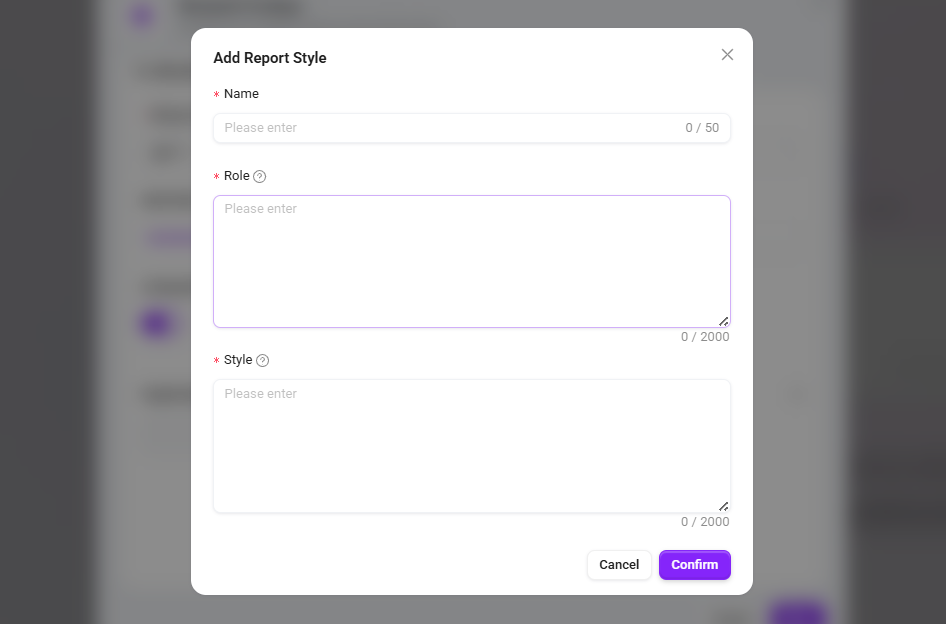
Report style |
Custom (professional, rigorous, rich, evidence-based) |
The standard style is too brief; customization can explicitly require data support and reasoning process |
Knowledge Base Configuration
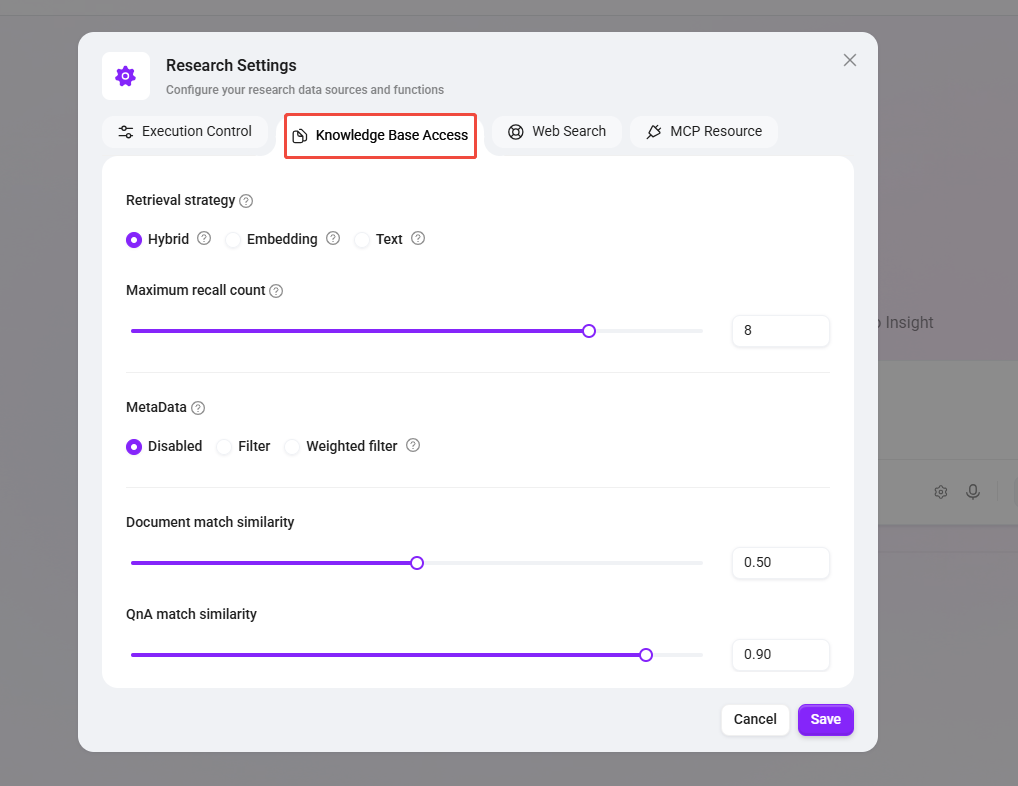
Through knowledge base configuration, users can combine research results with internal enterprise materials to improve the business relevance of conclusions.
|
Configuration Item |
Recommended Value |
Reason |
|---|---|---|
|
Knowledge base |
Market/industry/internal knowledge base |
Leverages high-quality private data to form differentiated advantages over general search |
|
Retrieval strategy |
Hybrid retrieval |
Balances precise keyword matching and semantic similarity at the same time, providing the most robust recall performance |
|
Maximum recall count |
10 items |
Provides sufficient context while avoiding exceeding the model window or introducing noise |
|
Document similarity threshold |
0.5 |
A balanced point: 0.5 can recall sufficiently relevant documents without being overly broad |
Web Search Configuration
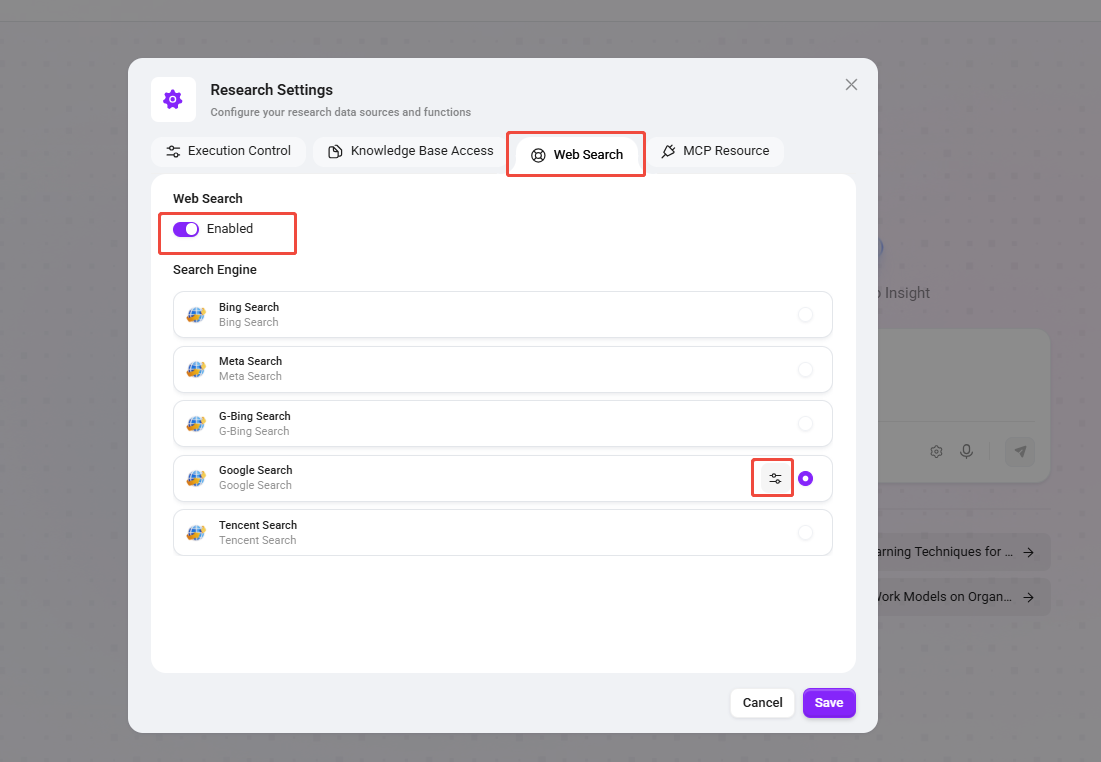
Web search capability can be enabled as needed to supplement the latest public information.
-
Enable search engine: Obtain the latest public information to compensate for insufficient timeliness in the knowledge base
-
Edit configuration: Click the button to configure connection parameters such as the API key of the selected search engine in detail.
MCP Resource Configuration
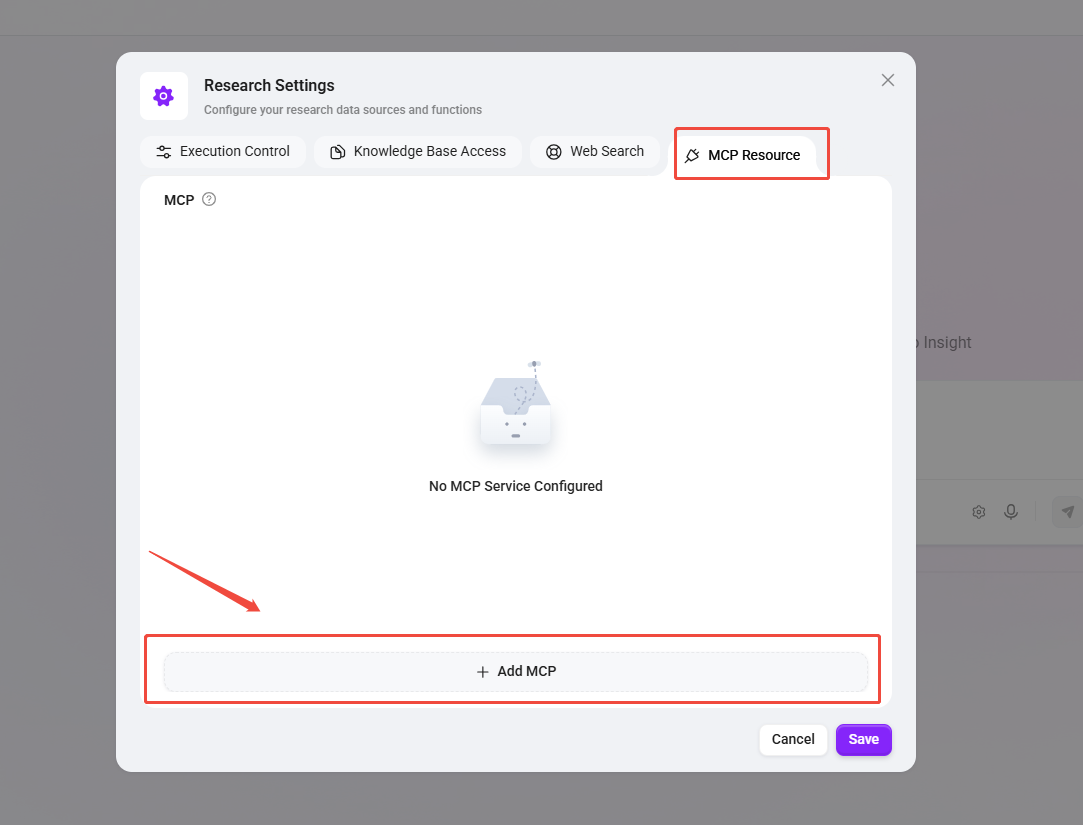
External tools and services callable during the research process can be configured as needed.
-
MCP server: If you need to connect to internal CRM, real-time data APIs, ticketing systems, etc., configure according to actual credentials.
-
When there are no dependencies: Safely skip without affecting core functionality.
Recommended Configuration
The following configuration is suitable for most research initialization scenarios and can achieve a balance among efficiency, quality, and controllability.
|
Category |
Configuration Item |
Recommended Configuration |
|---|---|---|
|
Execution Control |
Model |
GPT-5.4 |
|
Execution Control |
Maximum research rounds |
10 |
|
Execution Control |
Automatically determine subtopics |
Enabled |
|
Execution Control |
Manually edit subquestions |
Enable as needed |
|
Execution Control |
Report style |
Custom (professional/rigorous/evidence-based) |
|
Knowledge Base |
Retrieval strategy |
Hybrid retrieval |
|
Knowledge Base |
Maximum recall count |
10 |
|
Knowledge Base |
Document similarity threshold |
0.5 |
|
Web Search |
Bing Search, Google Search, and other web search options |
Enable as needed |
Using Deep Research
Enter a Research Topic
After completing the configuration, users can initiate research by following these steps:
-
Enter a research topic or question in the input box, for example:
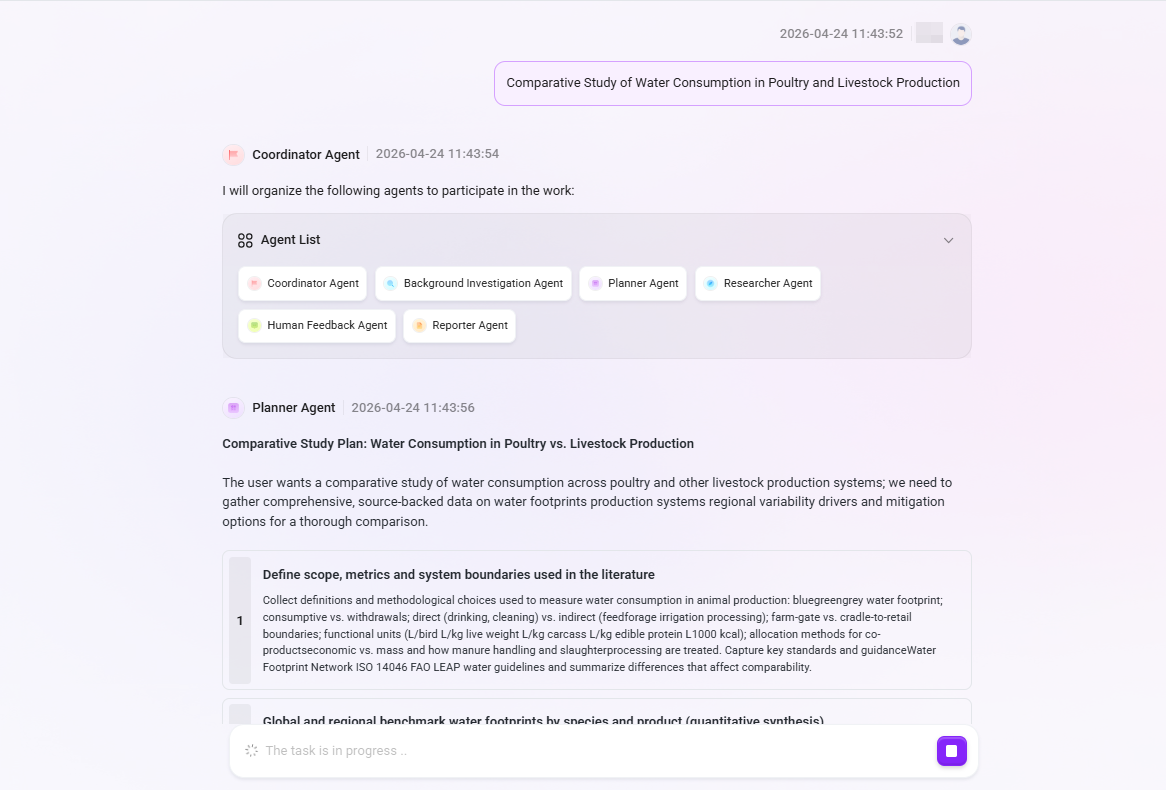
Comparative Study of Water Consumption in Poultry and Livestock Production. -
The system will automatically organize collaboration among multiple professional Agents, including but not limited to:
-
Background Investigation Agent: Background research
-
Planner Agent: Research plan formulation
-
Researcher Agent: Information retrieval and analysis
-
Human Feedback Agent: Human-machine interaction at key nodes
-
Reporter Agent: Report writing and summarization
-
-
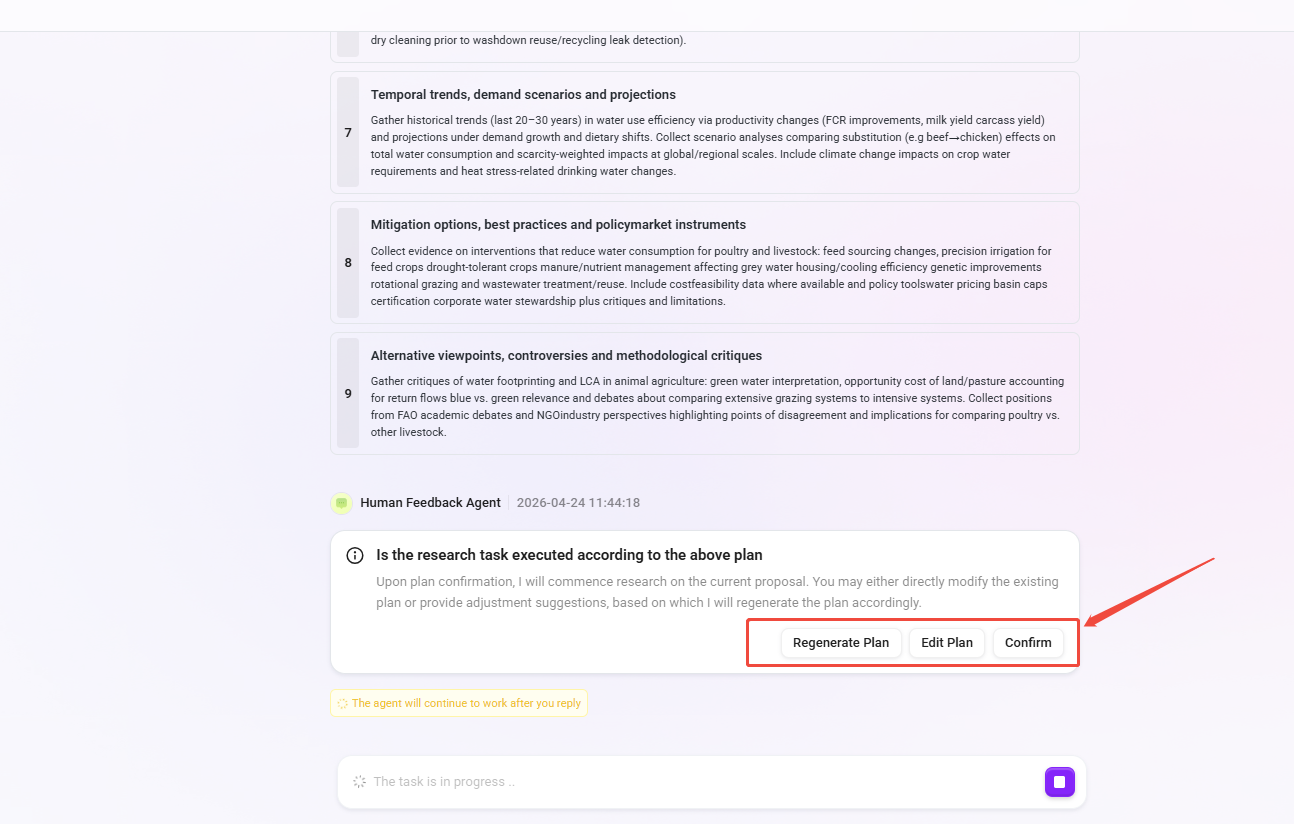
The system will generate a research plan based on the topic, usually including:
-
Research background and current status
-
Core dimensions and subquestion decomposition
-
Data collection strategies and sources
-
Expected report structure
-
-
Users can perform the following actions on the plan in the conversation:
-
Confirm: Accept the current plan and start the research immediately.
-
Edit: Adjust the questions, scope, or structure.
-
Regenerate: Let the system replan the solution.
-
View and Obtain the Report
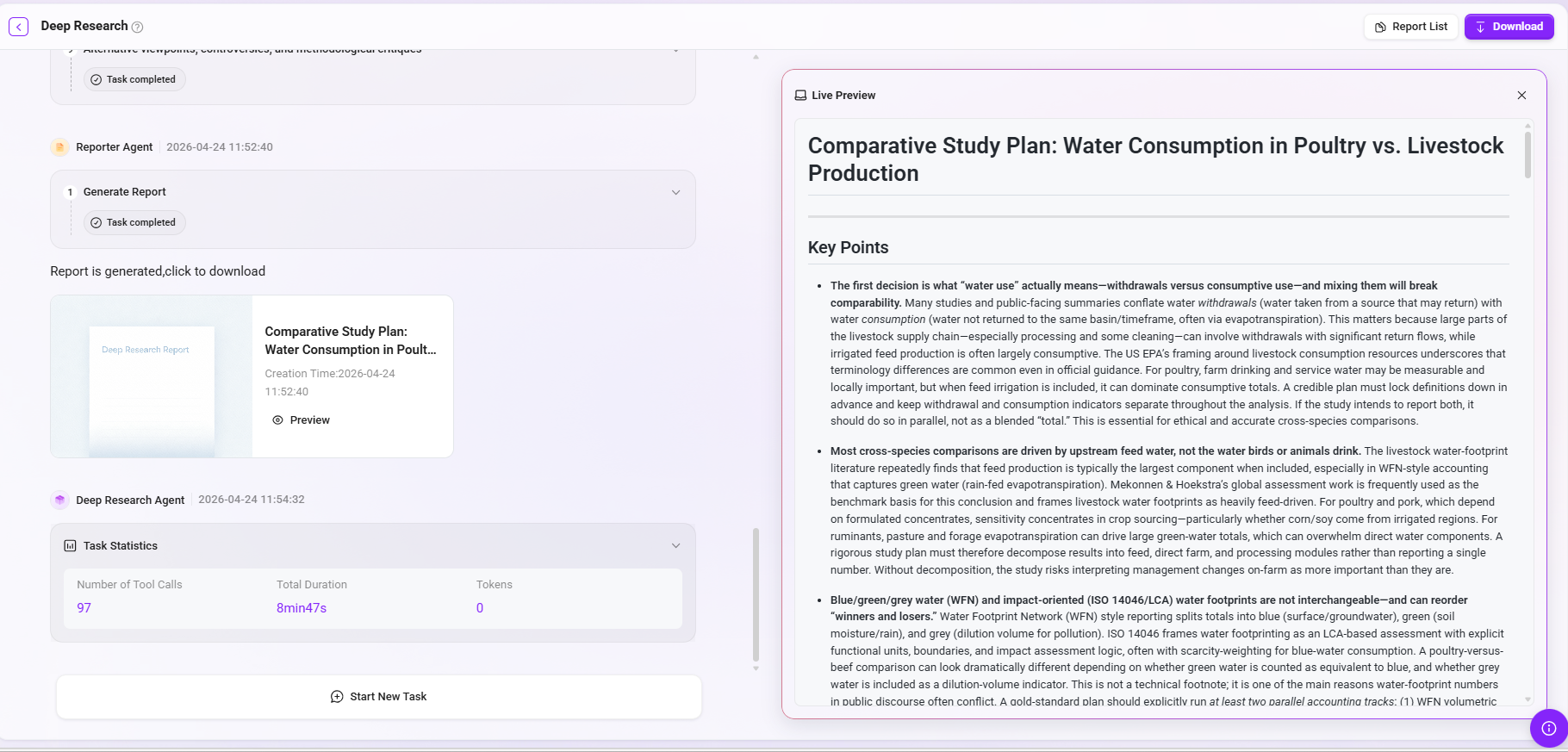
After confirming the plan, the research task is executed automatically. The left side of the interface displays the execution progress and thought process of the Deep Research Agnet, while the right panel provides a real-time preview of the research progress and final report.
-
Task planning: View the research subtasks automatically decomposed by the system (such as literature boundary definition, data synthesis, driver factor decomposition, etc.).
-
Generate report: View the generated structured research report, with support for real-time preview. After completion, click the upper-right corner to download the report. Supported download formats are PDF, Word, and Markdown.
-
Task statistics: View the number of tool calls, total time consumed, and Token consumption data for this research task.
Recent Usage
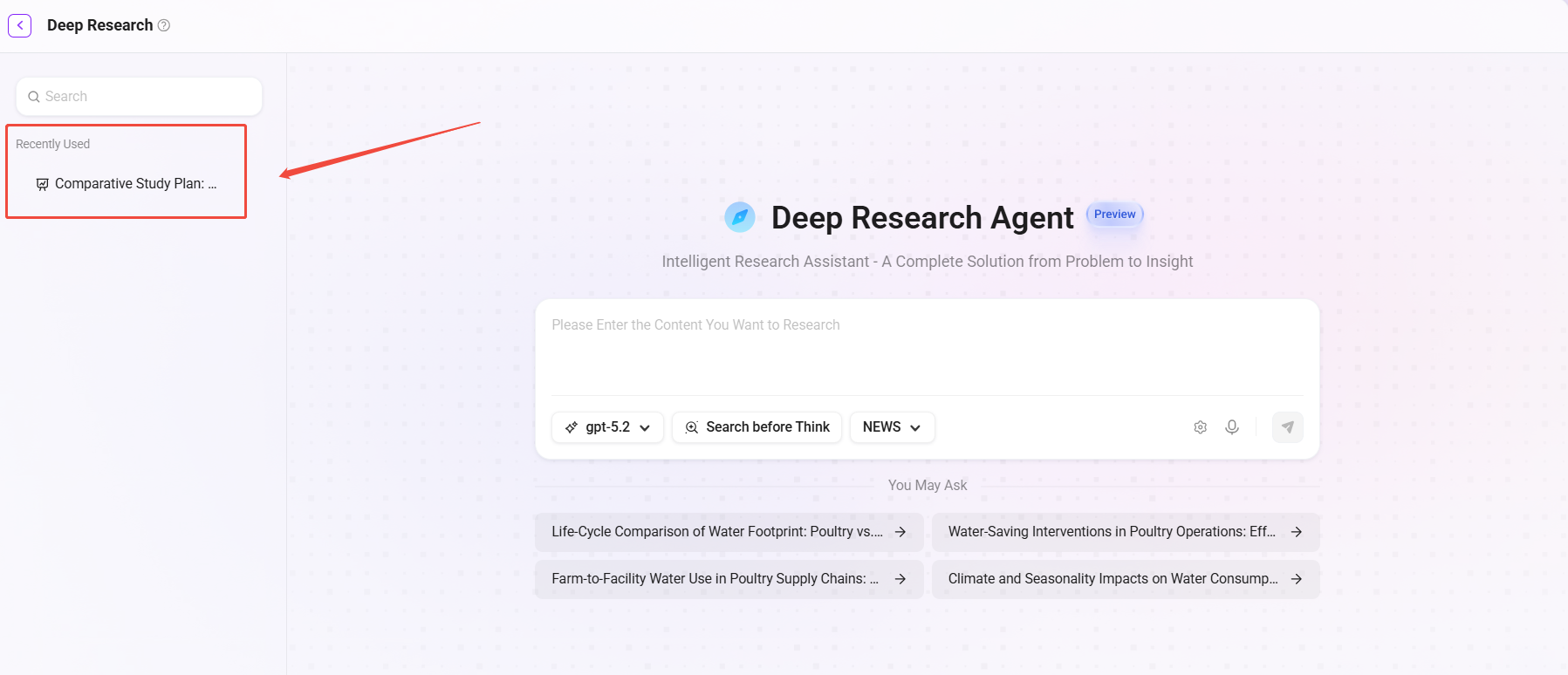
Completed research reports are automatically saved. Users can view and review historical reports and results at any time in the Recent Usage panel on the left side of the Deep Research page.
-
Search: Supports searching historical reports by keyword to quickly locate the required content.
-
Hover to view full name: Hover the mouse over the report name to view the full title for easier identification.
-
Delete: Supports deleting historical reports that are no longer needed.
Deep Research Administration
Administrators can perform global management of Deep Research. The configuration items are basically the same as the initial configuration, but with the added ability to select a model group.
Operation path: Management → Agent Management → APP → Find Deep Research → Click Configuration under the Operation column.
-
Model group: Select a dedicated model group for Deep Research to centrally manage the range of available models (in the initial configuration, only a single default model can be selected; here, an entire model group can be selected).
-
Default model: Set the default model used by Deep Research.
-
Whether to enable web search: Control whether web-wide search capability is enabled.
-
Table style: Customize the report output style.