
Introduction
This document details the Identity and Access Management changes required to enable SoftwareONE’s backup tools to protect an AWS environment
Configure IAM Access for Backup
|
Login to the AWS Console |
|
|
Go to IAM Services |
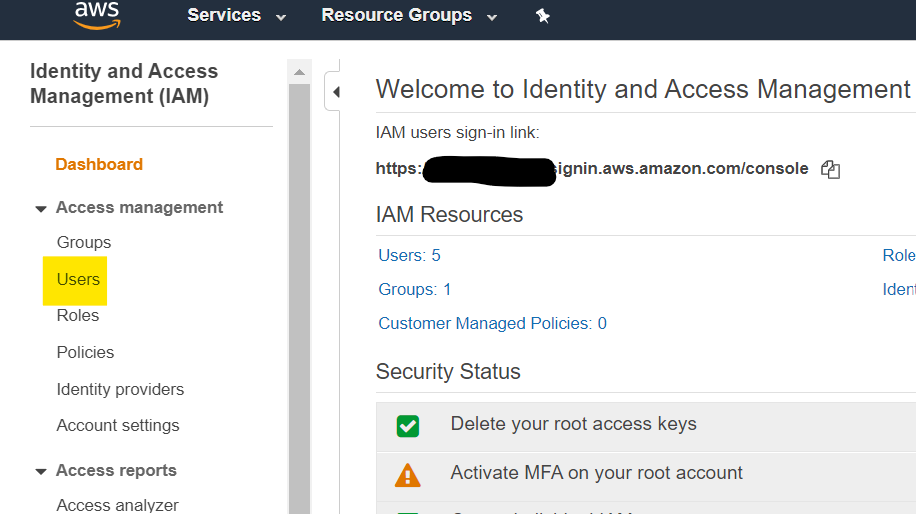
|
|
Add User |
Username: swoBackup Access type: Programmatic User 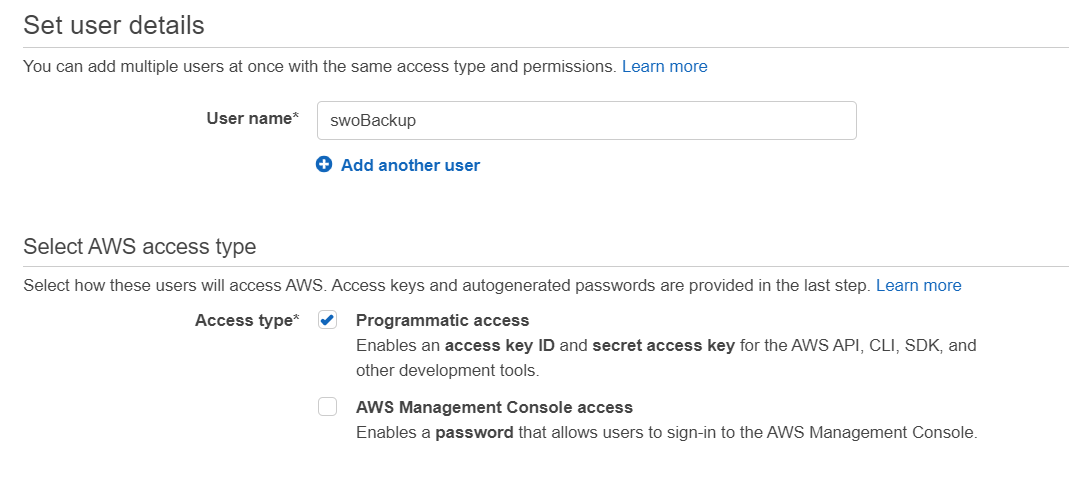
|
|
Next : Permissions |
Select Attach Existing Policies Tick to select “EC2 Full Access” & “Amazon RDS Full Access”
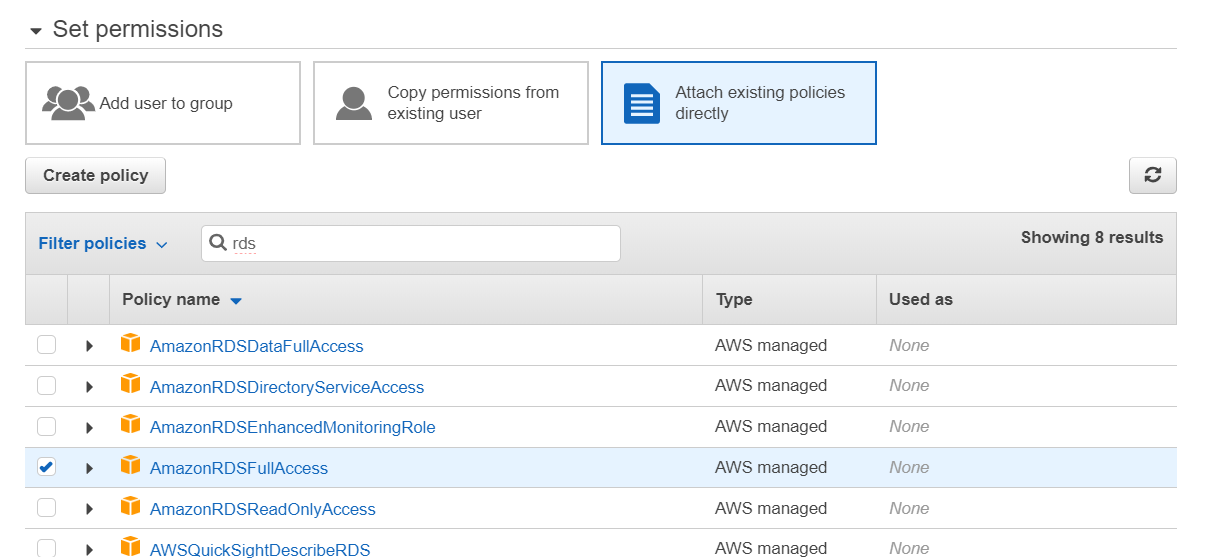
|
|
Click Next, Review and Add User |
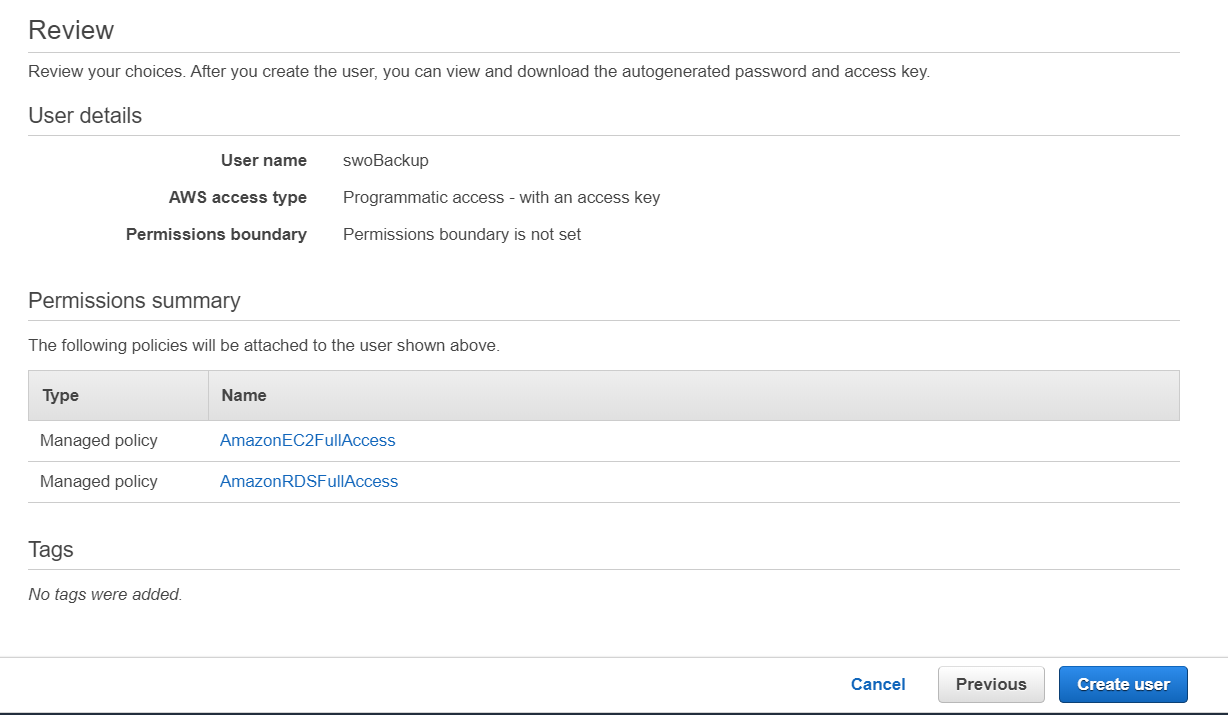
|
|
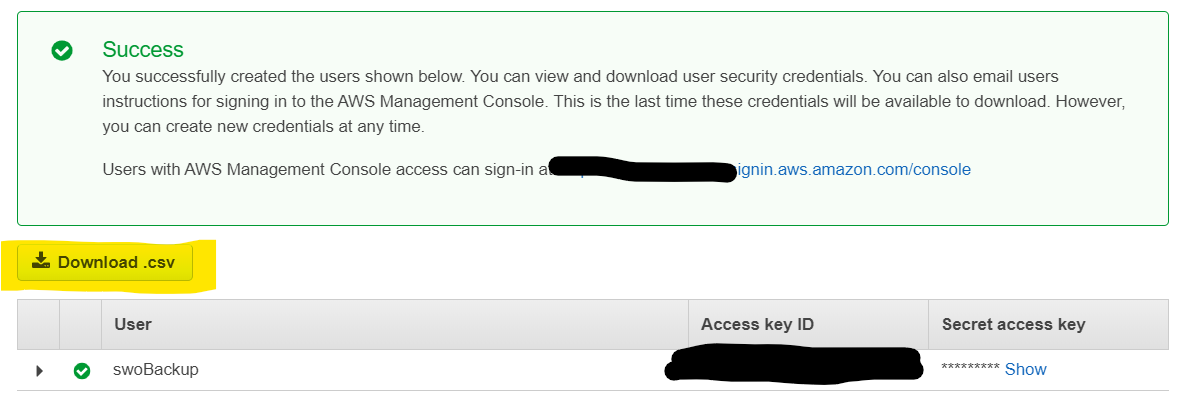
Download CSV and share with SoftwareONE Onboarding Manager. |
|