
You can select which cloud providers you want to include in your 7Rs assessment. This article provides information on including or excluding cloud providers in your 7Rs assessment.
You first need to go to the following page:
Settings (Cog) - Cloud Providers (Sidebar)
AppScore uses the cloud provider's technology availability to determine cloud adoption and modernisation routes.
There are 4 cloud providers available with the option to include another cloud provider of your choice, these are:-
-
Amazon Web Services (AWS) - Included by default
-
Microsoft Azure - Included by default
-
Google Compute Platform (GCP) - Included by default
-
Oracle Cloud Infrastructure (OCI) - Included by default
-
Custom Pricebook
Changing the cloud providers to include will reassess all your applications against the possible 7Rs routes.
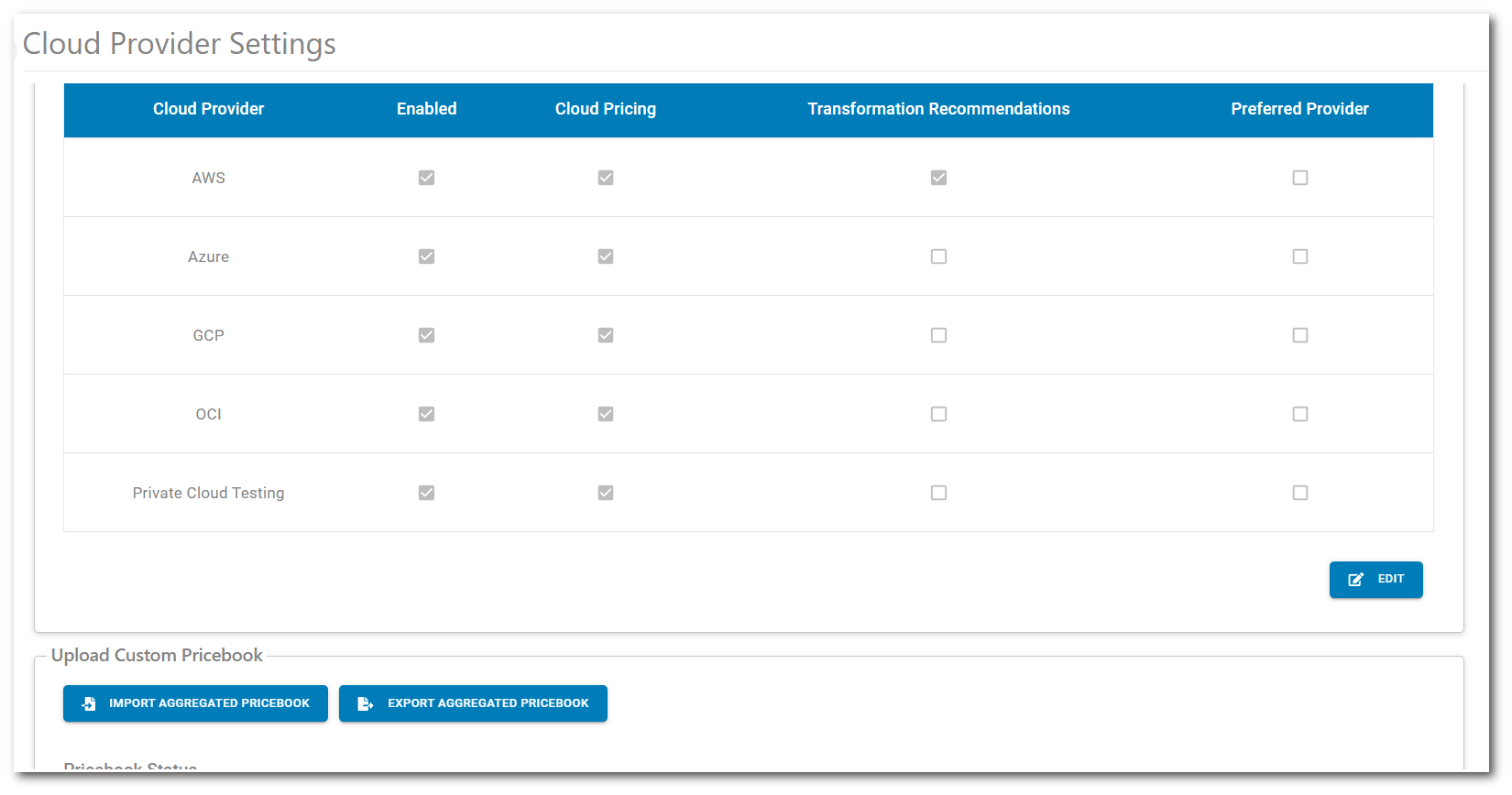
To change the list of providers in your AppScore 7Rs assessment, you select the 'Edit' option. You then have the ability to specify whether you want to show this via Enabled, whether it should show in cloud pricing, as well as if it appears in the transformation recommendations and finally if this is a preferred provider.
-
Enabled - This will show the cloud provider within the platform.
-
Cloud Pricing - This will show the provider within costing elements in the platform.
-
Transformation Recommendations - This will affect routes to cloud based on support on cloud providers.
-
Preferred Provider - This will add a tag to state the provider is preferred, but will still show other providers if selected.
To contact AppScore sales or support for any reason at all, simply email help@appscore.net and one of the team will get back to you. If your issue is urgent, please mark the email as URGENT in the subject line.